Task Image - Rotate
The Image rotate Task rotates an image by 90, 180 or a custom number of degrees. This Task can automatically deskew a skewed image.
Image rotate > File filter sub tab
In the File filter tab you define which image that should be rotated. Read more about file filter here.
Image rotate > Destination sub tab
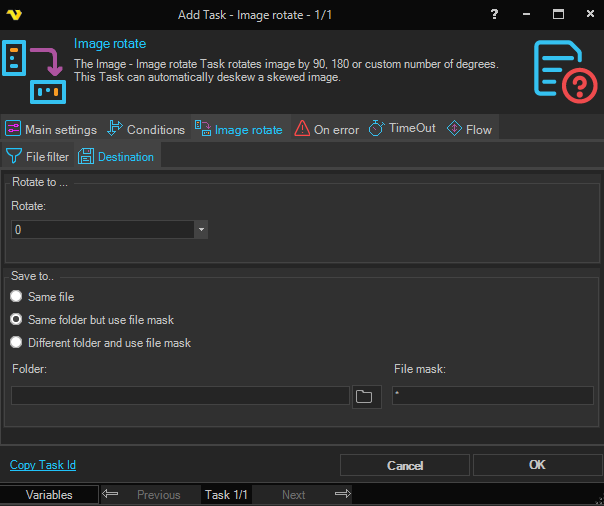
Rotate
Select the rotation to apply or type a custom angle in degrees. Preset options:
- Right 90 — Rotate the image 90° clockwise.
- Left 90 — Rotate the image 90° counter-clockwise (270°).
- Deskew — Automatically detect and correct the skew angle of the image.
A custom numeric angle can also be entered directly in the field.
Save to
Select where to save the rotated image:
- Same file — Overwrites the original source file.
- Same folder but use file mask — Saves to the same folder with a new file name specified in File mask.
- Different folder and use file mask — Saves to a different folder with a new file name.
Folder
The destination folder path. Only available when Different folder and use file mask is selected.
File mask
The file name to use for the saved image. Available when Same folder but use file mask or Different folder and use file mask is selected.