Task Office - Excel - Get Row Count
The Excel - Get row count Task returns the number of rows for a specific worksheet in an Excel file
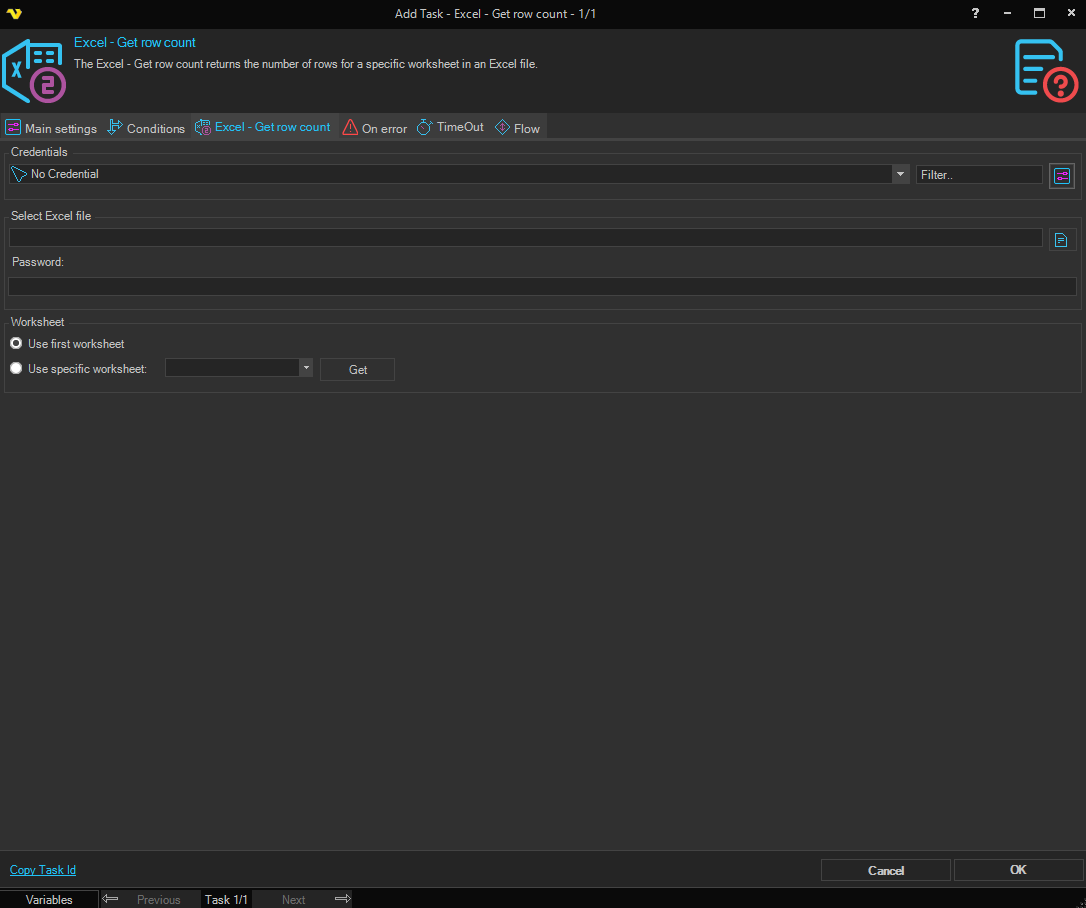
Credentials
To control a remote computer you may need to use a Credential. The Credential must match the user name and password of the user that you want to login for. Select a Credential in the combo box or click the Settings icon to open Manage credentials in order to add or edit Credentials.
Select Excel file
Select the full path to the Excel file.
Password
Enter the password for the Excel file, if it is password protected.
Worksheet
Use first worksheet / Use specific worksheet
Select Use first worksheet to use the first worksheet in the workbook. Select Use specific worksheet to choose a specific worksheet.
Worksheet
Select the worksheet to count rows in. Only available when Use specific worksheet is selected. Click the Get button to populate the list with worksheets from the selected file.