Task Office - Excel - List Worksheets
The Excel - List worksheets Task returns the names of all worksheets in an Excel file, one name per line.
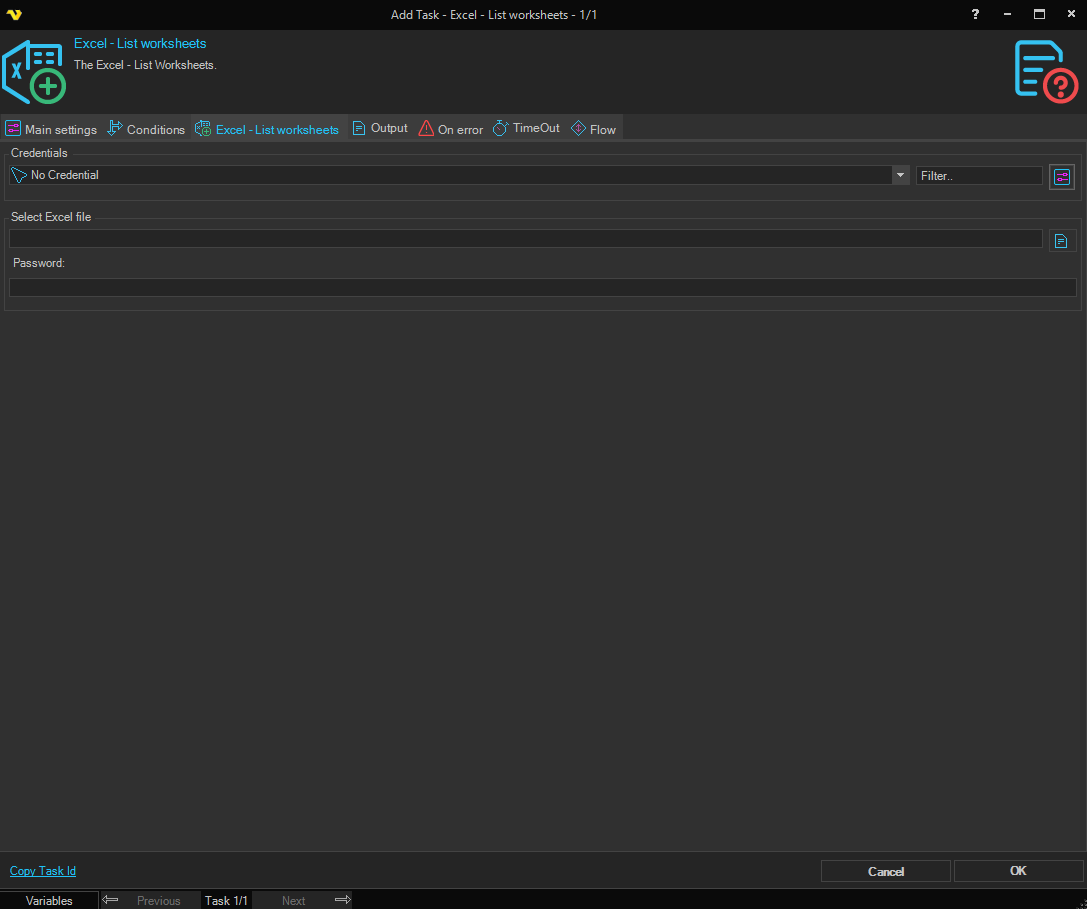
Credentials
To control a remote computer you may need to use a Credential. The Credential must match the user name and password of the user that you want to login for. Select a Credential in the combo box or click the Settings icon to open Manage credentials in order to add or edit Credentials.
Select Excel file
Select the full path to the Excel file.
Password
Enter the password for the Excel file, if it is password protected.
List worksheets > Output tab
Output to standard output / Output to file
Select Output to standard output to write the worksheet names to the standard output of the Task. Select Output to file to write them to a file.
File path
The full path of the output file. Only available when Output to file is selected.
Append to file
When checked, the output is added to the end of the file instead of replacing its contents.
Include BOM (if UTF8)
When checked, a byte order mark is written at the start of the file when the encoding is UTF-8.
Credentials
The Credential used to write the output file. Only available when Output to file is selected.
Include field names
When checked, the first line of the output is the column name Name.
Field separator
The output has a single column, so this setting has no effect.
Text qualifier
The character placed around each worksheet name.
Line break
The character(s) used to separate the worksheet names.