Task System - Logoff
The Logoff user(s) Task logs off one or more users - locally or remotely.
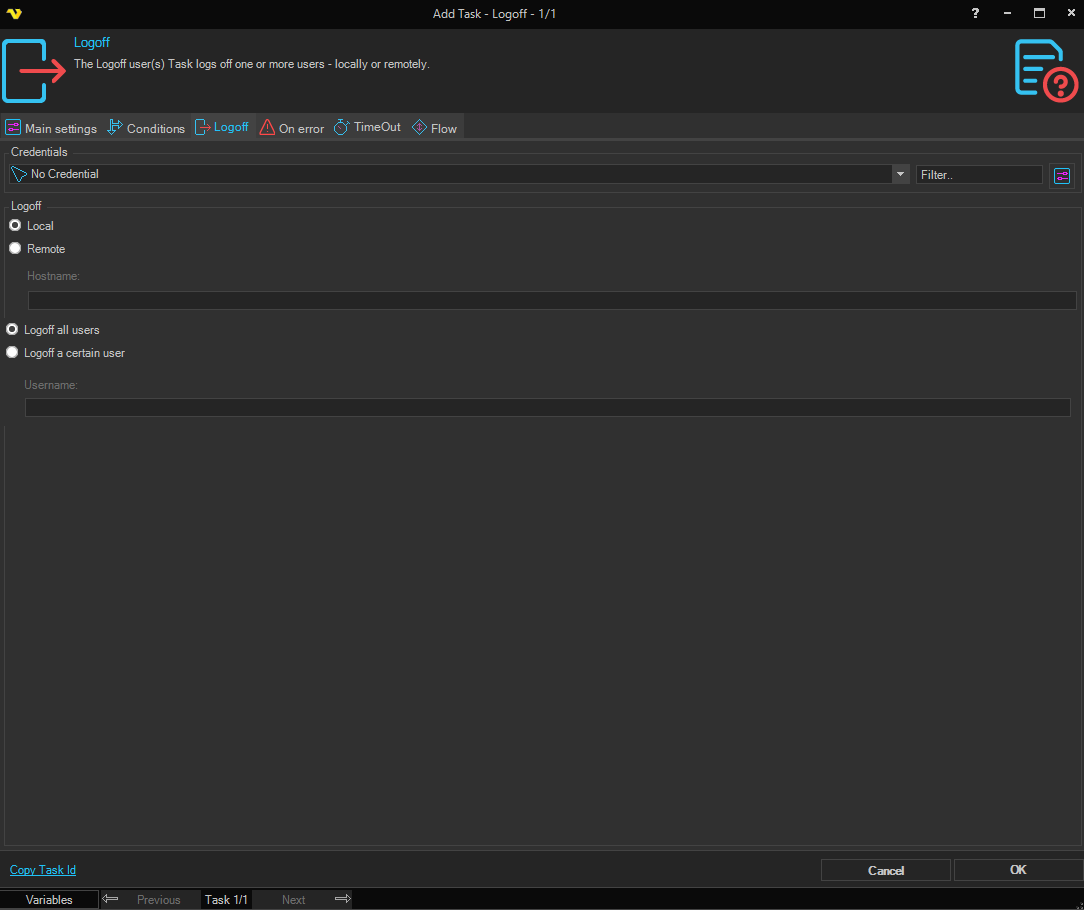
Credentials
To control a remote computer you may need to use a Credential. The Credential must match the user name and password of the user that you want to login for. Select a Credential in the combo box or click the Settings icon to open Manage credentials in order to add or edit Credentials.
Logoff
Local / Remote
Select Local to log off users on the local computer. Select Remote to log off users on a remote computer.
Hostname
The hostname of the remote computer. Only available when Remote is selected.
Logoff all users
When selected, logs off all users currently logged on.
Logoff a certain user
When selected, logs off a specific user. Enter the username in the field below.
Username
The username of the user to log off. Only available when Logoff a certain user is selected.