Task System - Unlock Workstation
The System Unlock workstation Task logs a user on to the desktop of the VisualCron Server computer, or unlocks the desktop when that user is already logged on. A running screen saver is also stopped.
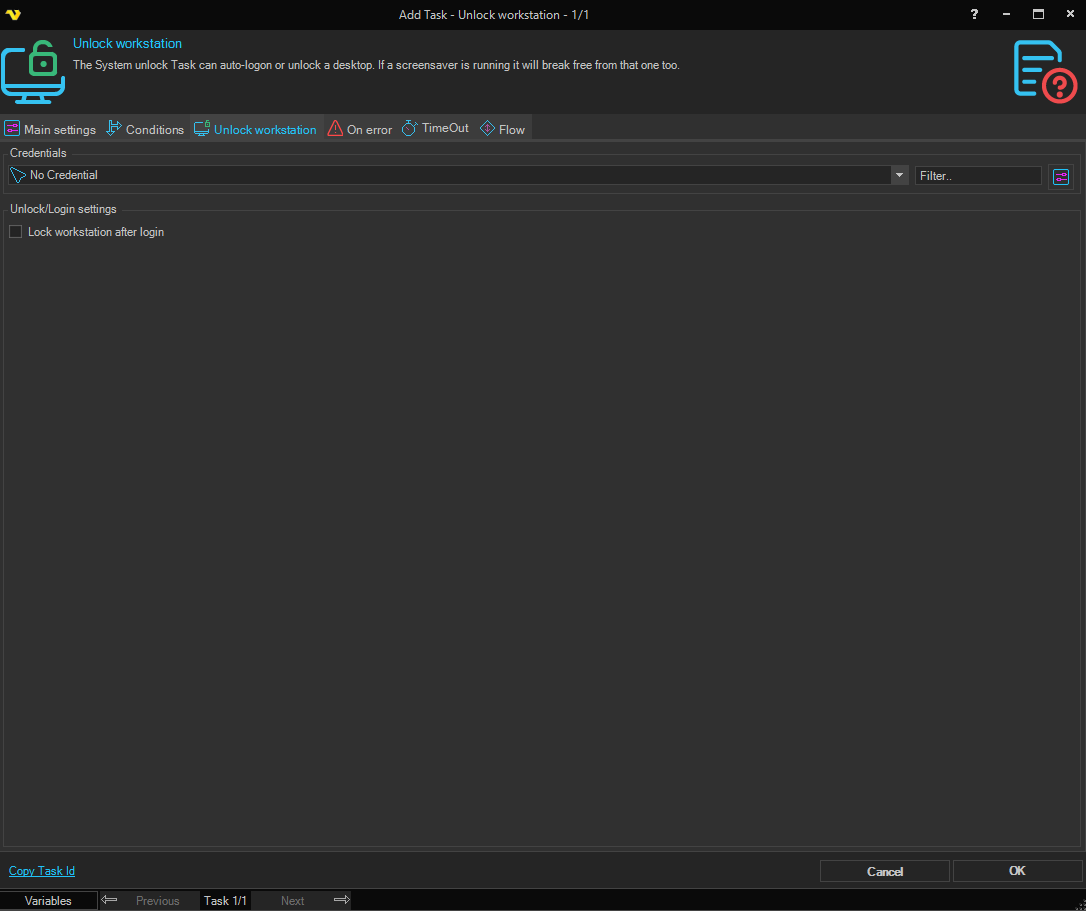
The Main settings, Flow, On error, Conditions and TimeOut tabs are the same for every Task; see Job - Tasks.
Unlock workstation tab
- Credentials: required. The Windows user to log on or unlock. Select a Credential, or click the Settings icon to open Manage credentials; see Global - Credentials
- Lock workstation after login (Unlock/Login settings group): when selected, the desktop is locked again after the logon
Output and errors
The output says what the Task did: that the user was logged in, that the desktop was unlocked, that no action was needed, that the screen saver was stopped, or that the logon was canceled.
When the logon is canceled, the output says so, and the Task reports success. When the selected Credential has been deleted, the Task does nothing and writes no output, and the Task reports success.
For Windows Server 2008 you must enable a setting in Local Security Policy.