Task System - Wakeup
The Wake up Task sets a time at which the VisualCron Server computer wakes up from standby or hibernation.
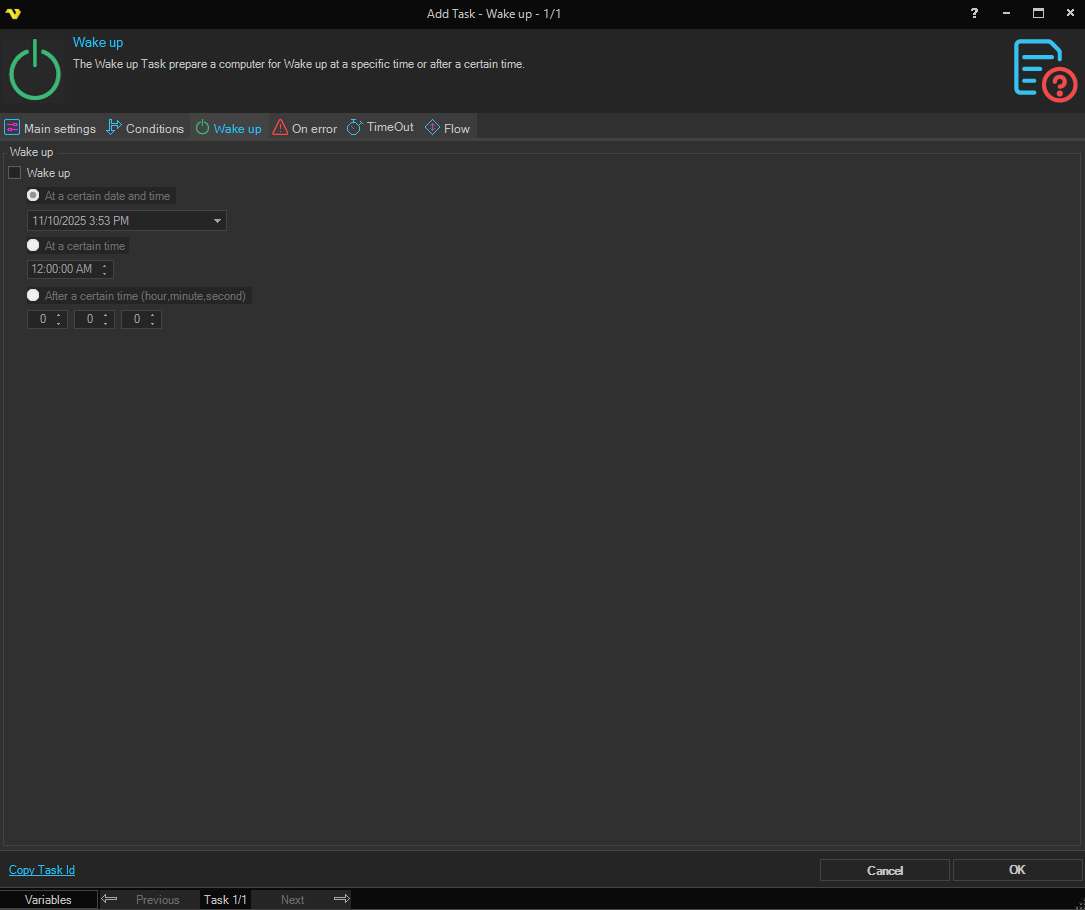
The Main settings, Flow, On error, Conditions and TimeOut tabs are the same for every Task; see Job - Tasks.
Wake up tab
- Wake up (Wake up group): makes the options below available. The Task sets the wake-up time whether or not this check box is selected
- At a certain date and time: wakes the computer at the date and time entered. Selected by default
- At a certain time: wakes the computer at the time entered, on the day the Task runs. A time that has already passed that day does not set a wake-up for the next day
- After a certain time (hour,minute,second): meant to wake the computer after the hours, minutes and seconds entered
After a certain time (hour,minute,second) does not use the hours, minutes and seconds entered: the computer is set to wake within a minute, and the Task reports success. Use At a certain date and time or At a certain time instead.
On success, the output is "Wake up set success". The Task does not put the computer into standby or hibernation; use the Standby or Hibernate Task for that.
Remark on Wake Up
Some computers can wake up from standby and not from hibernation, some work for both, and some for none. It all depends on the BIOS and the APM/ACPI capabilities, your motherboard, and your ATX power supply version.