Task System - Shutdown
The System shutdown Task turns off the VisualCron Server computer or a remote computer.
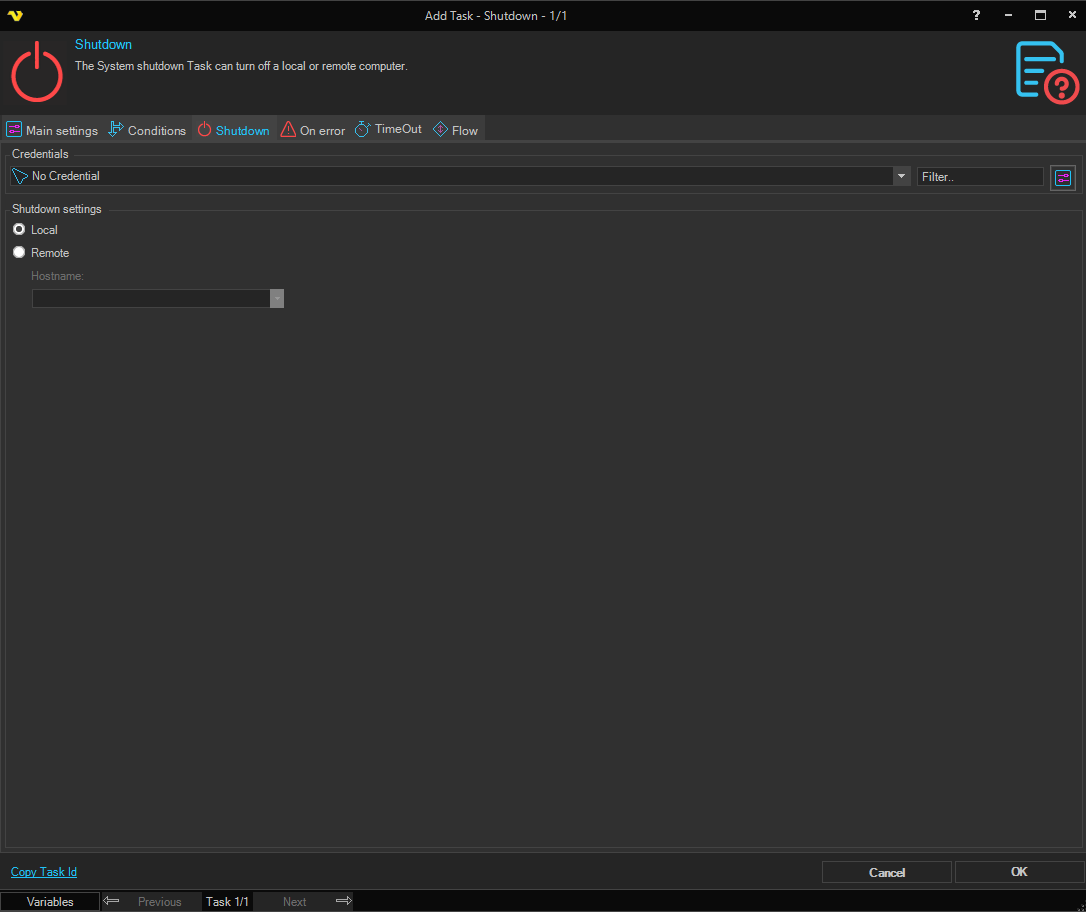
The Main settings, Flow, On error, Conditions and TimeOut tabs are the same for every Task; see Job - Tasks.
Shutdown tab
- Credentials: used only with Remote, to connect to the remote computer through WMI. Required with Remote: without a Credential, the Task fails. Select a Credential, or click the Settings icon to open Manage credentials; see Global - Credentials
- Local (Shutdown settings group): turns off the VisualCron Server computer. Selected by default
- Remote: turns off the computer in Hostname
- Hostname: the host name of the remote computer. Select a computer on the network or type a host name. Available only with Remote
warning
The shutdown is always forced: programs on the computer are closed without being asked to save their work, so unsaved work is lost. Turning off the VisualCron Server computer also stops the VisualCron Server and the Jobs that are running.
On success, the output is "Shutdown success". When the shutdown fails, the Task fails.