Connection - IIS
The IIS Connection stores connect and logon properties for local or remote Internet Information Services (IIS) servers.
The IIS Connection is used in the following Tasks:
- IIS - Add Website
- IIS - Add Application Pool
- IIS - Add Website Application
- IIS - Add App Virtual Directory
- IIS - Change Website State
- IIS - Change Application Pool State
- IIS - Delete Website
- IIS - Delete Application Pool
- IIS - Delete Website Application
- IIS - Delete App Virtual Directory
- IIS - Is Application Pool Exists
Manage Connections > Add > IIS > Common settings tab
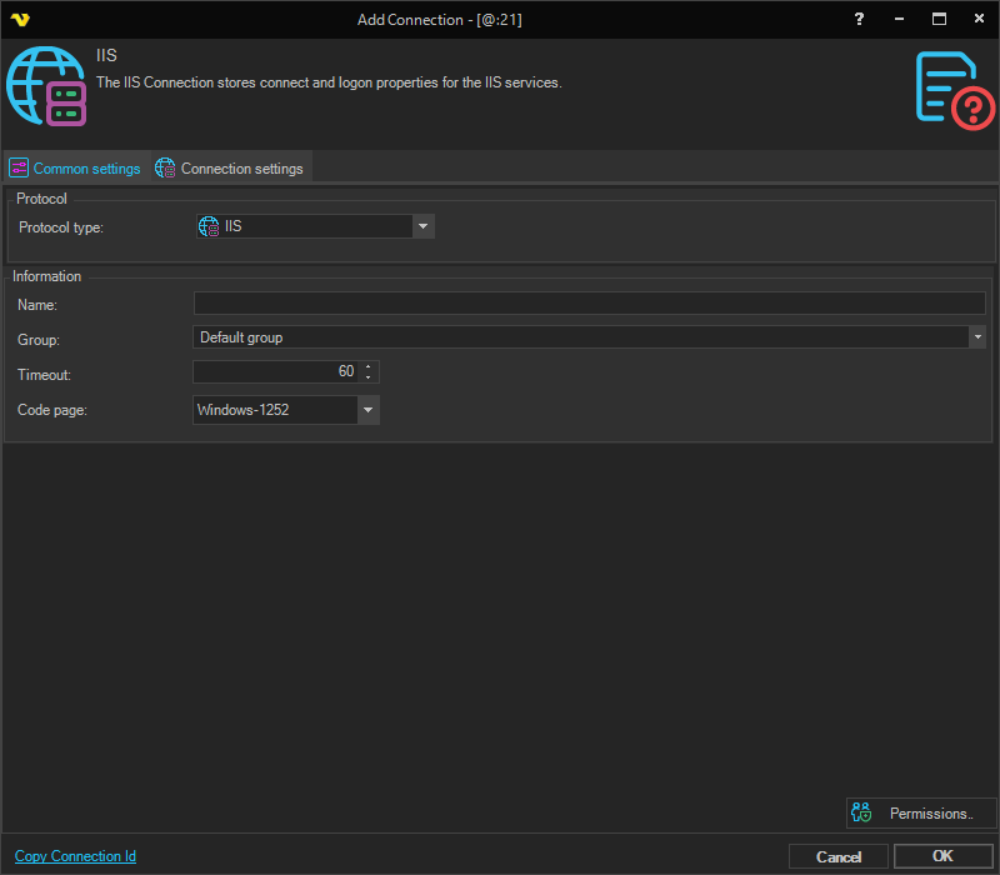
Name
The name of the Connection to uniquely identify it.
Group
The group that the connection is a part of.
Timeout
The connection timeout in seconds. Connection will fail after this time period.
Code page
Code page being used.
Manage Connections > Add > IIS > Connection settings tab
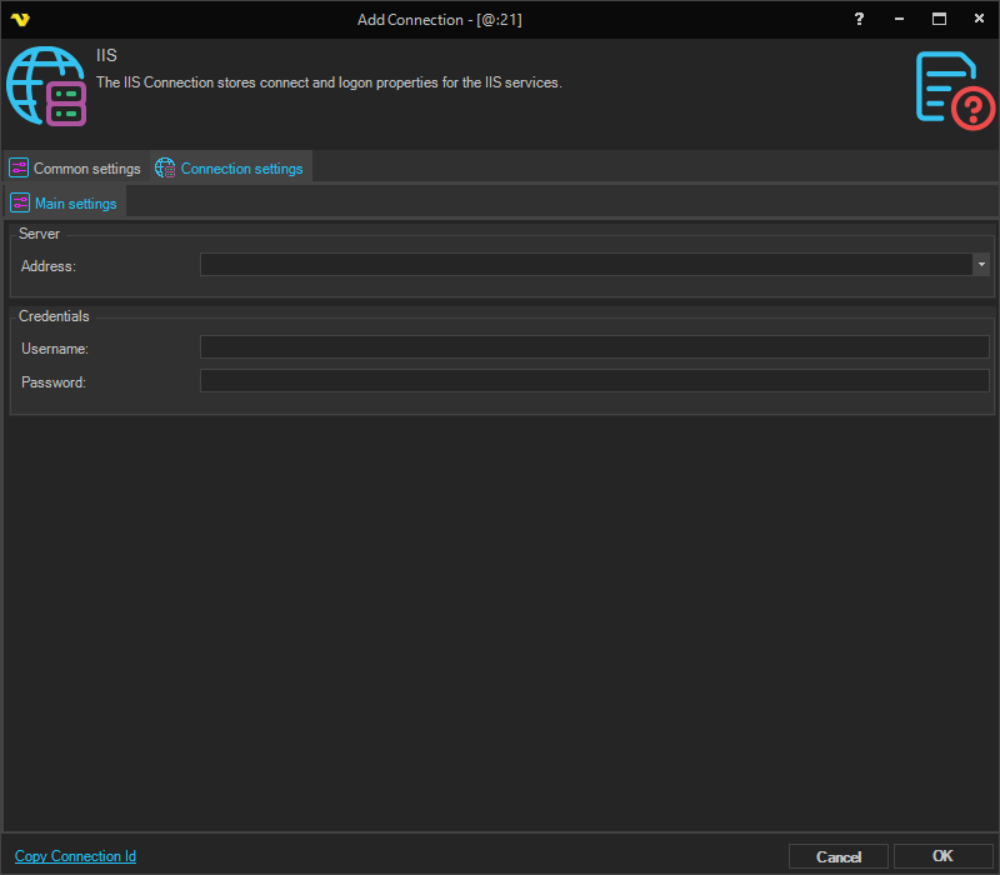
Address
The host name or IP address of the IIS server. Use localhost to manage the local IIS instance.
Username
The user name used to authenticate against the IIS server. Required when connecting to a remote IIS server.
Password
The password used to authenticate against the IIS server. Required when connecting to a remote IIS server.