Task Net - WebDAV - Download
The WebDAV - Download Task lets you download documents based on a file filter. Web-based Distributed Authoring and Versioning (WebDAV) is a set of methods based on the Hypertext Transfer Protocol (HTTP) that facilitates collaboration between users in editing and managing documents and files stored on World Wide Web servers.
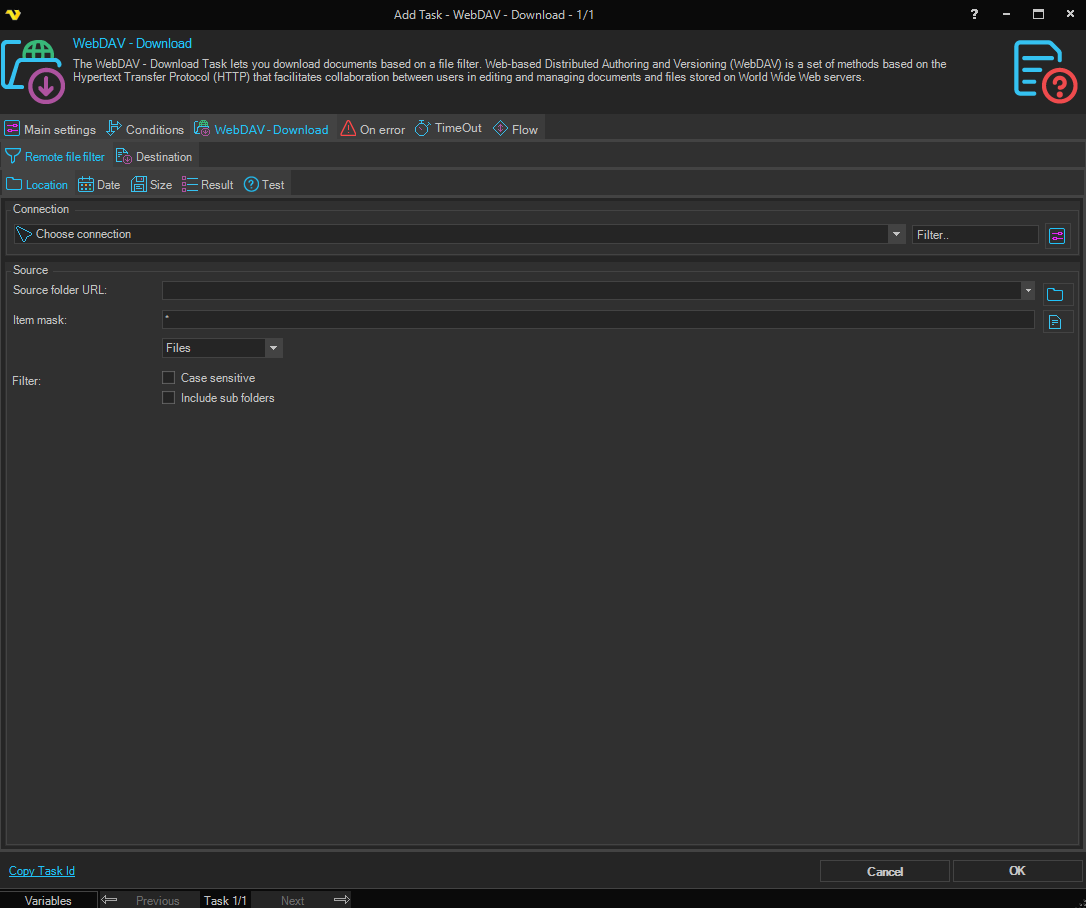
Remote file filter tab
Remote file filter > Location sub-tab
Source folder URL
The URL of the remote folder where the file(s) reside.
Item mask
Filters which files to download. Use the exact file name or a wildcard pattern (e.g. * for all files, *.csv for CSV files only). Default is *.
Include sub folders
When checked, VisualCron also searches for matching files in sub-folders of the source folder. Default is unchecked.
Case sensitive
When checked, the item mask filter is applied with case sensitivity. Default is unchecked.
Filter
Controls which type of items to include. Options: Files, Folders, All.
Remote file filter > Date sub-tab
Optionally filter files by date. Set a Newer than and/or Older than condition using created or modified date. Both conditions can be combined with an AND or OR operator.
Remote file filter > Size sub-tab
Optionally filter files by size. Enable Check if file is smaller than x size and/or Check if file is larger than x size, specifying the threshold in bytes, kilobytes, megabytes, gigabytes, or terabytes. Both conditions can be combined with an AND or OR operator.
Remote file filter > Result sub-tab
Sort
When checked, sorts the matched file list before downloading. Select the sort column and direction (ascending or descending).
Limit
When checked, limits the number of files processed. Enter the maximum count or use a Variable.
Remote file filter > Test sub-tab
Click Show filtered files to test the configured filter against the live server without saving. Results are displayed in the log window.
Destination tab
Destination folder
The local folder where the file(s) should be downloaded to.
Credential
Select a Credential if you want to download to a network drive.
Keep modified/created date
When checked, the downloaded file's modified and created timestamps are set to match the timestamps on the remote server. Default is unchecked.