Task Net - WebDAV - Create Folder
The WebDAV - Create folder Task creates a folder on a WebDAV server.
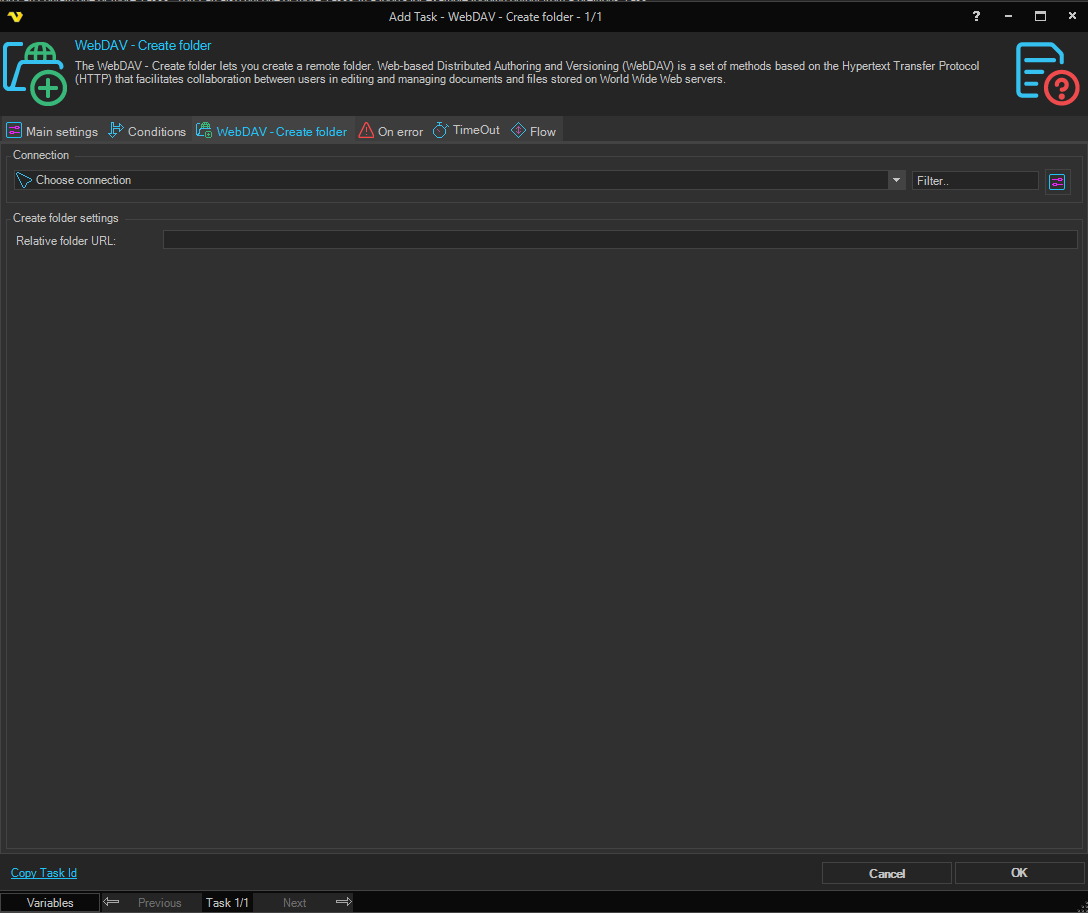
This Task uses a WebDAV Connection; see Connection - WebDAV. Any server certificate is accepted, so the Server cannot tell the real server from another server that answers at the same address. Port is the local port, not the port of the server.
A new WebDAV Connection has Authentication type "Basic", which sends the user name and password in a form that anyone who can see the traffic can read, unless the address starts with "https://"; see Connection - WebDAV.
The Main settings, Flow, On error, Conditions and TimeOut tabs are the same for every Task; see Job - Tasks.
-
Connection: the WebDAV Connection with the server address, sign-in and proxy settings
-
Relative folder URL: the path of the folder to create, relative to the address of the Connection
If the folder already exists, the Task leaves it as it is and does not fail. Only the last folder in the path is created, so the folders above it must exist.