Task File - Write File
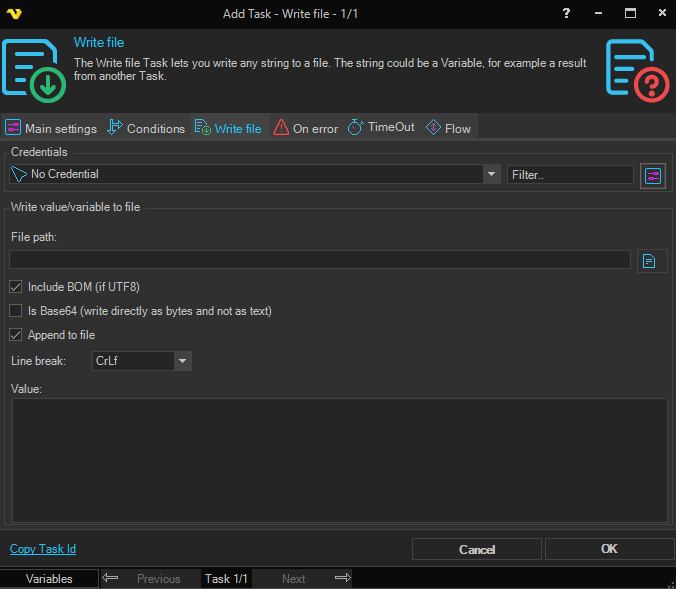
The Write file Task lets you write any string to a file. The string could be a Variable, for example a result from another Task.
Credential
To control a remote computer you may need to use a Credential. The Credential must match the user name and password of the user that you want to login for. Select a Credential in the combo box or click the Settings icon to open Manage credentials in order to add or edit Credentials.
File path
The path to the file you want to write to.
Include BOM (if UTF8)
If checked, the byte order mark character is included in the start of the text stream
Is Base64 (write directly as bytes and not as text)
When checked, the Value is treated as a Base64-encoded string and written to the file as raw bytes rather than as text.
Append to file
When checked, the value is appended to an existing file. When unchecked, the file is overwritten.
Line break
The character or sequence inserted after the value when writing. Options are: Cr, CrLf (default), Lf, Comma, SemiColon, Pipe, Tab, and NoLineBreak.
Value
The string/variable that you want to write to the file.