Task File - Change Owner
The File - Change owner Task lets you change the owner of one or more files or folders.
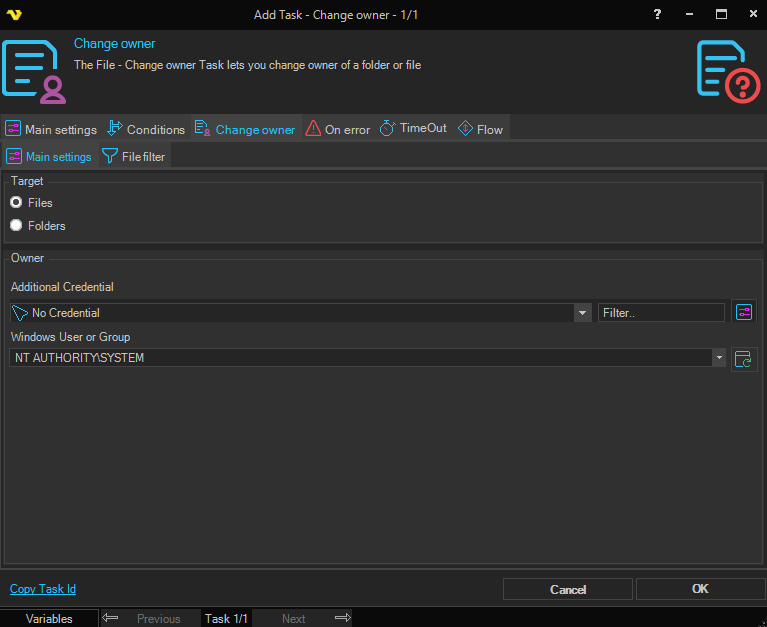
Target
Select whether to target files or folders. The filter tab shown will switch between File filter and Folder filter depending on your selection.
It is important that you use a UNC path to the file/folder. For example F:\test should be written \\computername\f$\test in source folder.
Owner
Additional Credential
If you need extended permissions to set owner you can select a Credential here.
Windows User or Group
Controls who the new owner should be. Enter or click Refresh button to fill a list of users and groups.
Change owner > Folder filter sub tab
The standard VisualCron Folder filter is used to specify one or more folders to change the owner of. This tab is only visible when Folders is selected in Target.
Change owner > File filter sub tab
The standard VisualCron File filter is used to specify one or more files to change the owner of. This tab is only visible when Files is selected in Target.