Task IIS - Delete App Virtual Directory
The IIS - Delete App Virtual Directory Task removes an existing virtual directory from an application in Internet Information Services (IIS).
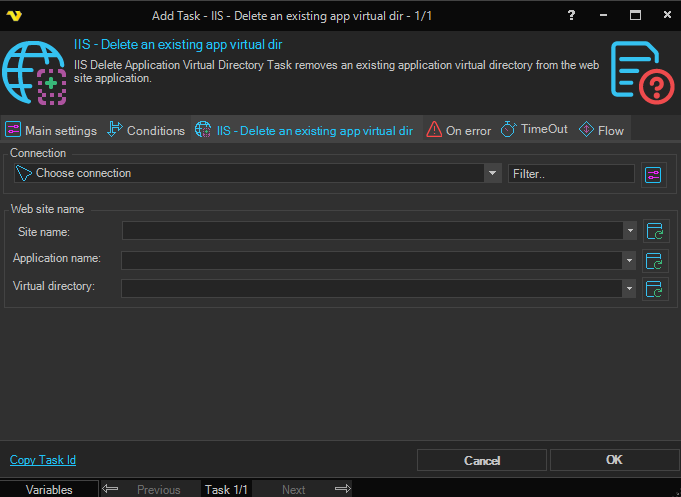
Connection
To use IIS Tasks you need to create an IIS Connection first. Click the Settings icon to open the Manage Connections dialog.
Web site name
The name of the parent website. Click the Refresh icon to populate the drop-down list with available websites.
Application name
The name of the parent application containing the virtual directory to delete.
Virtual directory
The name of the virtual directory to delete.