Task IIS - Delete Application Pool
The IIS - Delete Application Pool Task removes an existing application pool from the IIS of the VisualCron Server computer, using an IIS Connection.
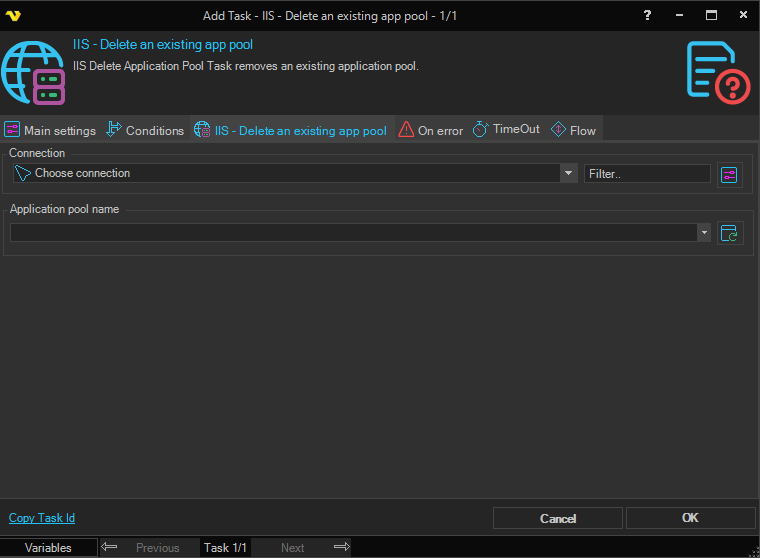
This Task uses an IIS Connection; see Connection - IIS. The Task always works on the IIS of the VisualCron Server computer: the Connection's Address is not used, and the changes are made as the account of the VisualCron Server service, which must be allowed to change IIS. The Connection's Username and Password are used only for network access.
The Main settings, Flow, On error, Conditions and TimeOut tabs are the same for every Task; see Job - Tasks.
IIS - Delete an existing app pool tab
- Connection: the IIS Connection. Required. Click the Settings icon to open Manage Connections
- Application pool name: the name of the application pool to remove, matched exactly, including case. Required. Click the Refresh icon to list the application pools of the VisualCron Server computer
The Task removes the application pool from IIS without a prompt, and VisualCron cannot undo it. The Task does not check whether applications still use the application pool.
Output and errors
On success, the output is "Success". When the application pool is not found, the Task does nothing and writes no output, and the Task reports success.
The TimeOut tab does not stop this Task.