Task Sharepoint - Create Folder
The SharePoint - Create folder Task creates a new folder in a SharePoint document library.
The SharePoint Tasks supports the following versions:
- SharePoint 2010
- SharePoint 2013
- SharePoint Online
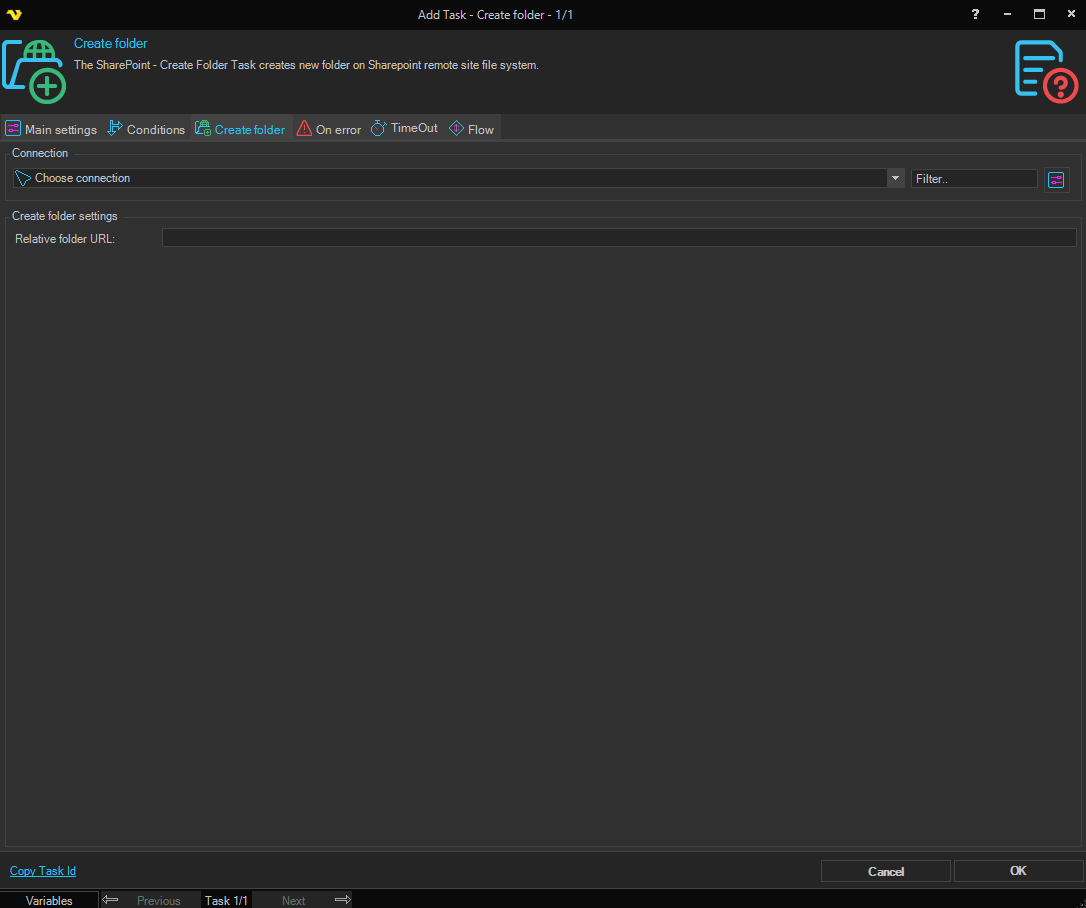
Connection
To use SharePoint Tasks you need to create a Connection first. Click the Settings icon to open the Manage Connections dialog.
Relative folder URL
The path of the folder to create, relative to the SharePoint site. Variables are supported. This field cannot be empty.
Unlike the other SharePoint file Tasks, this field has no Folder icon to browse with. The path must be typed.
The Task creates one folder level only. The last segment of the path is created as the new folder, and the remainder of the path is treated as the parent folder, which must already exist. For example, with a path of /Shared Documents/Reports/September, the folder September is created inside Reports, and Reports must exist beforehand.
To create several levels, use one Create folder Task per level, ordered from the highest level down.
When the folder is created, the Task writes the resolved folder path to the standard output, which allows a following Task to reference the new folder without repeating the path.