Task Messaging - XendApp
The Messaging - XendApp Task sends messages of multiple content types directly to a phone or other device, combining the best features of SMS and email. See http://xendapp.com for more information.
XendApp is a free platform for delivering instant messages to any device (phone or tablet) using notification services. Registration can be done here. The Task uses the XendApp Connection.
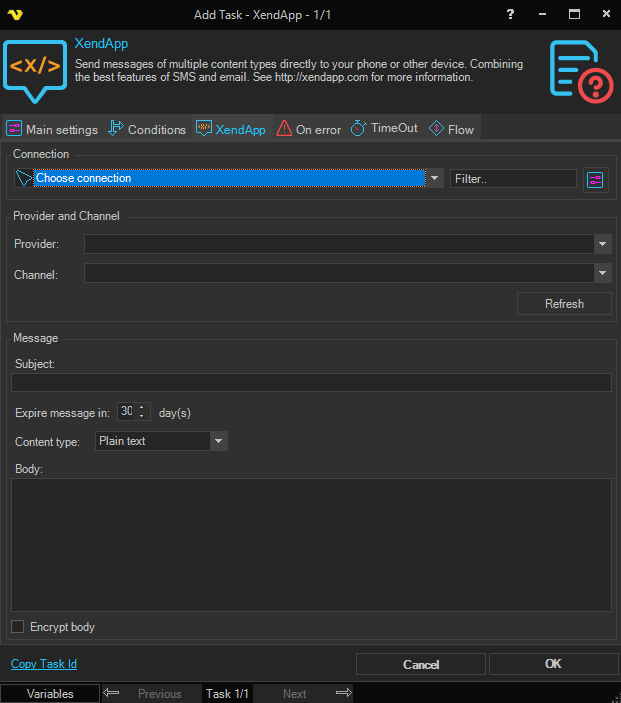
Connection
Select the XendApp Connection representing the user account that messages are sent from. Click the Settings icon to open the Manage Connections dialog.
Provider
The XendApp provider to send the message through. Click the Refresh icon to populate the drop-down from the selected Connection. Selecting a provider automatically loads its available channels into the Channel drop-down.
Channel
The channel belonging to the selected Provider. Populated automatically when a provider is selected.
Subject
The subject line of the message. Required. Maximum length 100 characters.
Content type
The format of the message body. Available options:
- Plain text - send the body as plain text
- HTML - send the body as HTML-formatted content
Body
The body text of the message.
Encrypt body
When checked, the message body is encrypted before sending.
Expire message in
The number of days after which the message expires. Minimum 1, maximum 90, default 30.