Task Messaging - Telegram - Send Bot Message
The Telegram - Send Bot Message Task sends a message from a Telegram bot to one or more of its subscribers. Read more about Telegram bots here.
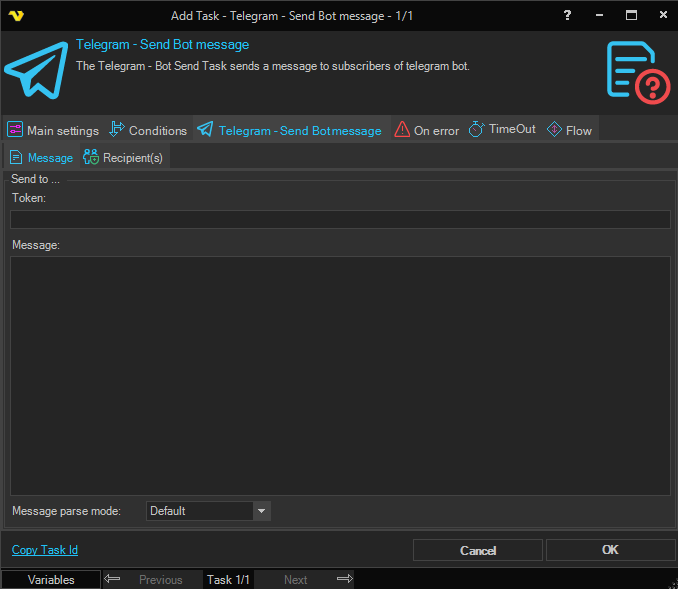
Token
The bot token issued by BotFather when you created the bot. See BotFather for how to obtain a token.
Message format
How the Message text is parsed by Telegram. Available options:
- Default - send the message as plain text
- Html - parse the message as HTML
- Markdown - parse the message as Markdown
Message
The message text to send.
Telegram - Send Bot Message > Recipients sub tab
The Recipients sub tab lets you choose which subscribers receive the message. At least one user must be selected.
- Send to all users - when checked, the message is sent to every subscriber and the grid is disabled
- Refresh - queries the Telegram bot using the Token and populates the grid with the available subscribers
- Select all / Deselect all - quickly toggle the Use column for every row in the grid
- The grid - check the Use column on the rows to choose individual recipients
Troubleshooting
Recipient is not visible
A user only appears in the Recipients tab after they have started a conversation with the bot. Send a message to the bot from each account before refreshing the recipient list.