Task Messaging - Pushbullet - Send SMS
The Pushbullet - Send SMS Task sends an SMS to a phone number through one of your linked Pushbullet devices. A device is a phone that you have linked to Pushbullet.
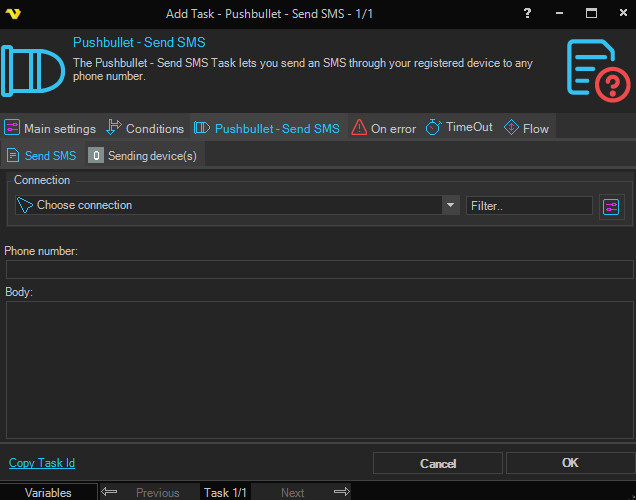
Connection
Select an existing global Pushbullet Connection for storing the connection credentials.
Phone number
The recipient phone number.
Body
The text of the SMS.
Pushbullet - Send SMS > Sending device(s) sub tab
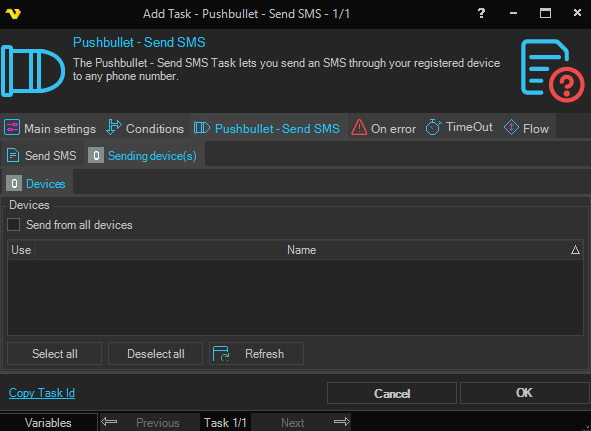
The Sending device(s) sub tab lets you choose which of your linked Pushbullet devices is used to send the SMS. At least one device must be selected.
- Send from all devices - when checked, the SMS is sent from every linked device and the grid is disabled
- Refresh - queries the selected Connection and populates the grid with the available devices
- Select all / Deselect all - quickly toggle the Use column for every row in the grid
- The grid - check the Use column on the rows to choose individual sending devices