Task Net - Ping
The Ping Task checks whether a host can be reached over the network. It sends one ICMP echo request to the host and waits for the echo reply.
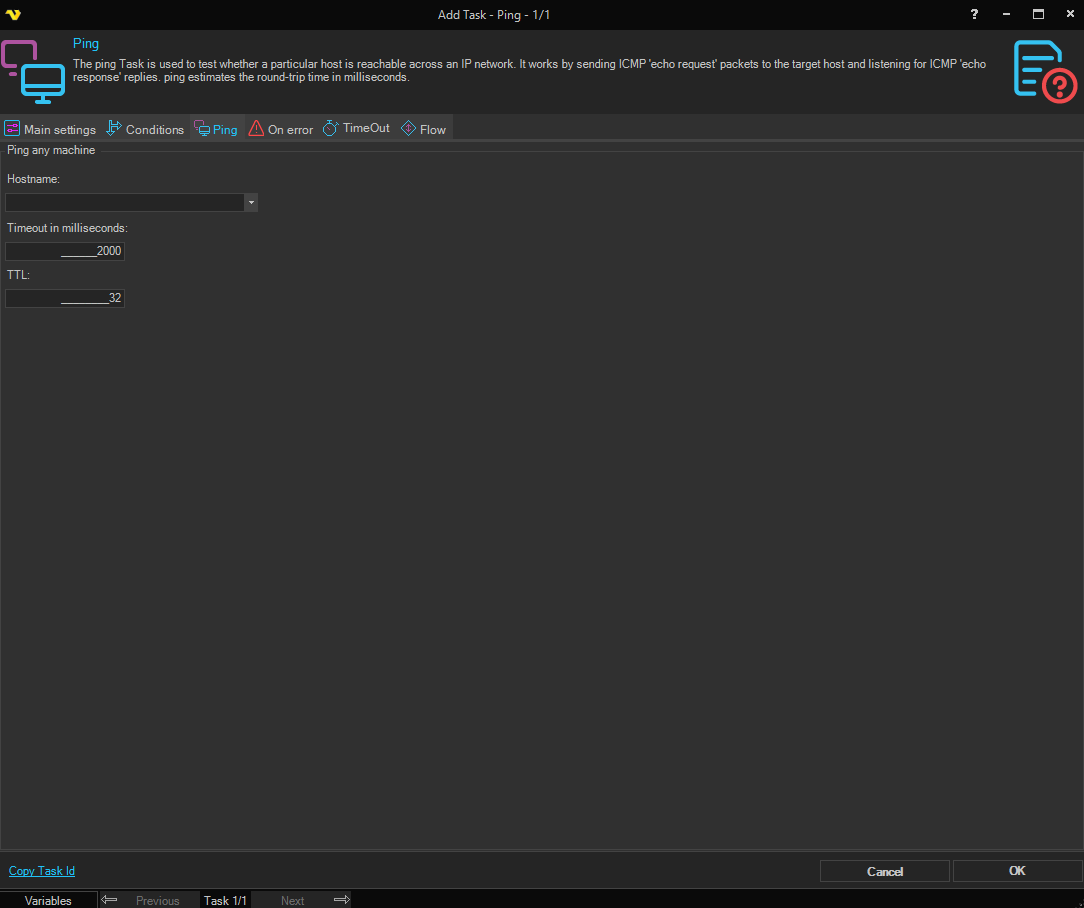
The Main settings, Flow, On error, Conditions and TimeOut tabs are the same for every Task; see Job - Tasks.
-
Hostname: the host name or IP address to ping
The list also shows the computers on the network.
-
Timeout in milliseconds: how long to wait for the reply, "2000" by default and at most "20000"
-
TTL: the time to live of the request: how many routers the request can pass before it is discarded
The default is "32", from "1" to "255".
When the host replies in time, the output shows the reply and its round-trip time ("RoundTripTime"). When there is no reply in time, or the reply reports an error, the Task fails with the error "Ping failed", which you can handle on the On error tab (see Task - On Error).