Task VMWare - Start VM
The VMWare - Start VM Task starts (powers on) a virtual machine.
Start VM > Connection sub tab
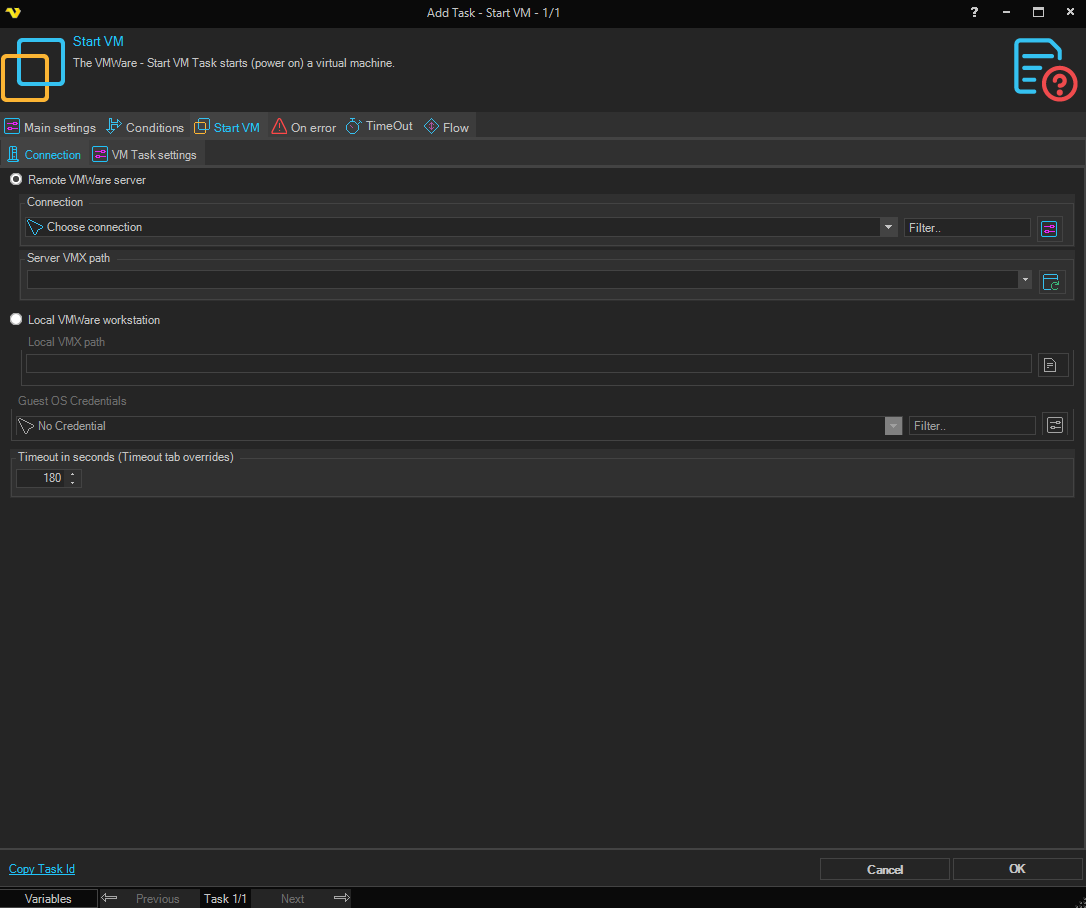
The Connection sub tab is the same for all VMWare Task types. The fields below are the ones available; some Tasks force a specific connection type or disable certain fields.
Remote VMWare server
Select this radio button if you want to connect to a remote VMWare server such as vSphere.
Connection
When connecting to a remote VMWare server you need to set up a VMWare Connection. Click the Settings icon to open the Manage Connections dialog.
Server VMX path
Path to the VMX file on the server. Click the Refresh icon to populate the drop-down with available server VMX paths.
Local VMWare workstation
Select this radio button if you want to connect to a local VMWare Workstation.
Local VMX path
Full path to the local VMX file. Click the Folder icon to browse for the file.
Guest OS Credentials
When the Task interacts with the guest operating system (the [Guest] Task types), select a Credential for logging in to the guest OS. The Credential must match a user account that exists inside the virtual machine. This field is disabled for Tasks that do not interact with the guest OS.
Timeout in seconds
The number of seconds the Task is allowed to run for. If you have a value in the Timeout tab of the Task it will override this value.
Start VM > VM Task settings sub tab
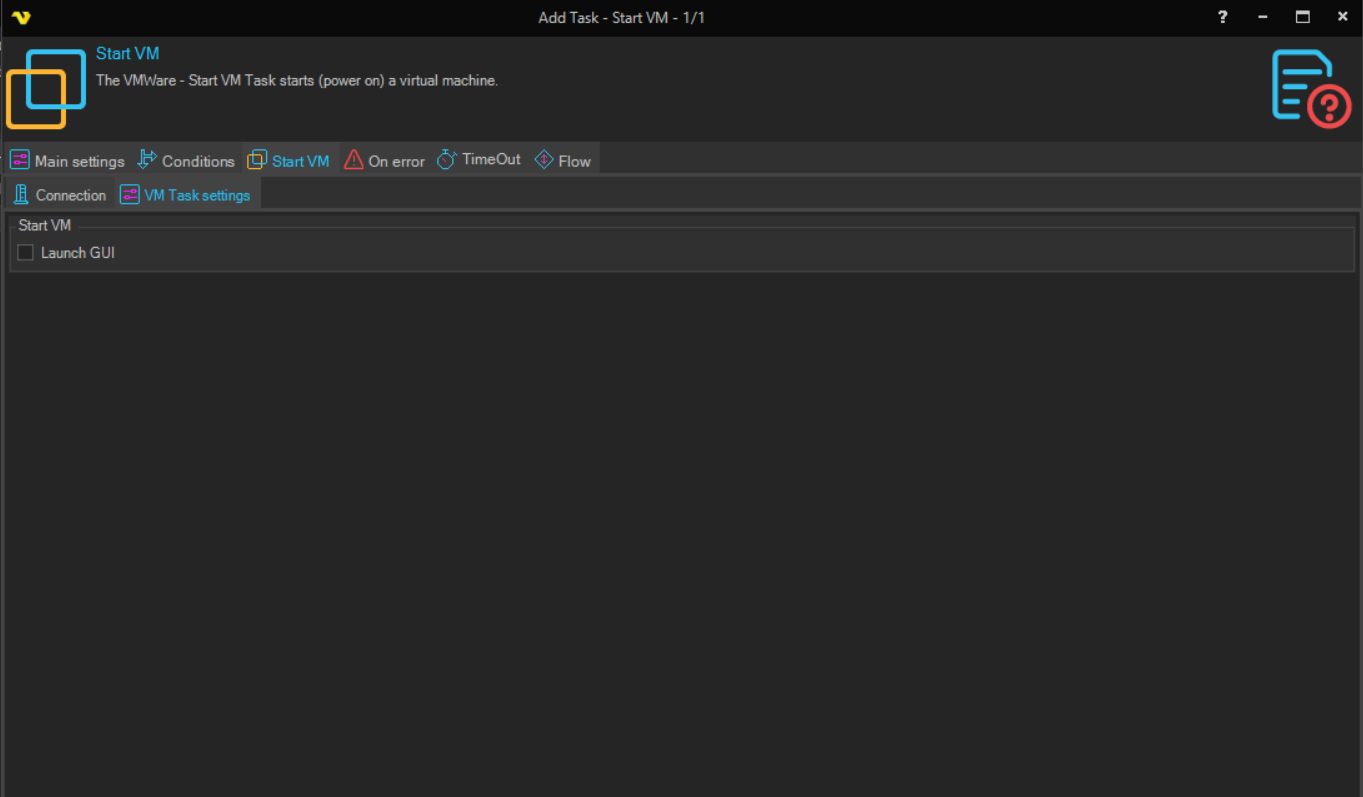
Launch GUI
Displays the interface of the virtual machine in the VMWare Workstation application.