Robot Task Activities - Error Handling
The Error handling category contains activities that manage errors within the workflow.
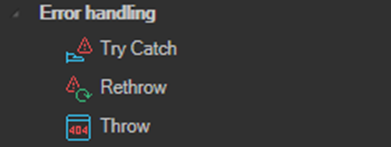
These are not internal VisualCron activities. They are standard activities from the .NET System.Activities.Statements namespace.
Try Catch
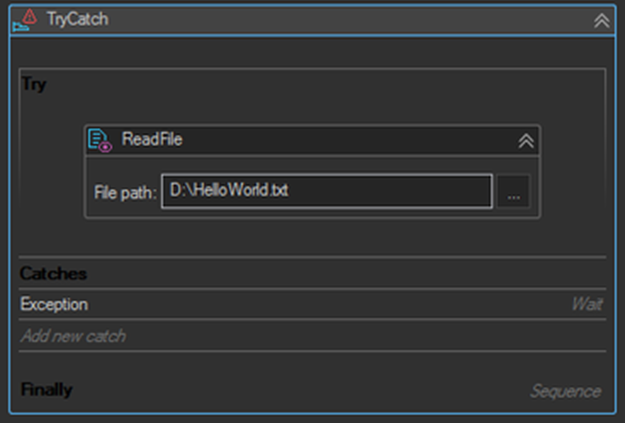
Provides a structured way to handle exceptions within a workflow. It contains a Try block holding the main execution logic, one or more Catch blocks for handling specific exception types, and an optional Finally block for logic that must run regardless of the outcome.
| Block | Description |
|---|---|
| Try | Contains the activities that may throw an exception during execution. Activities run sequentially. |
| Catch | Handles a specific exception type thrown from the Try block. Multiple Catch blocks can be added to handle different exception types. |
| Finally | Runs after the Try block and any required Catch activities complete, whether or not an exception occurred. Use it for cleanup and finalization. This block is optional. |
If no exception occurs in the Try block, the Catch blocks are skipped. If an exception occurs, control transfers to the Catch block matching the exception type. The Finally block is always the last block to execute.
Adding a catch for a specific exception type
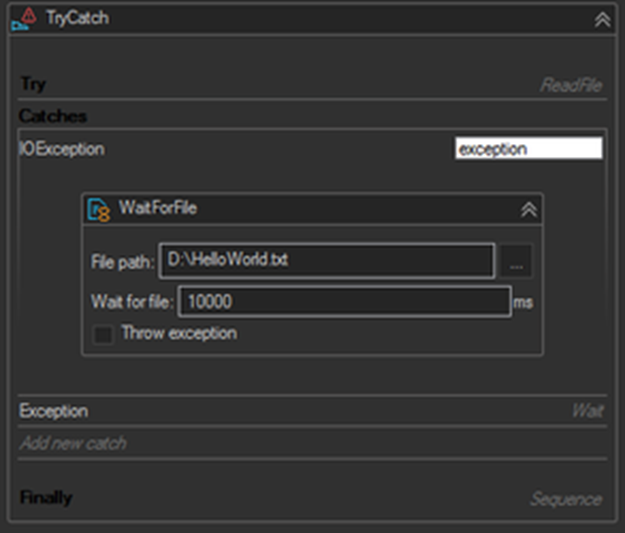
In the example below, a ReadFile activity in the Try block may fail if the file is not yet present. An IOException catch handles that case by waiting for the file, while a general Exception catch handles anything else.
Using the Finally block
The Finally block is the right place for actions that must happen either way, such as sending a notification email or closing an application that was opened in the Try block.
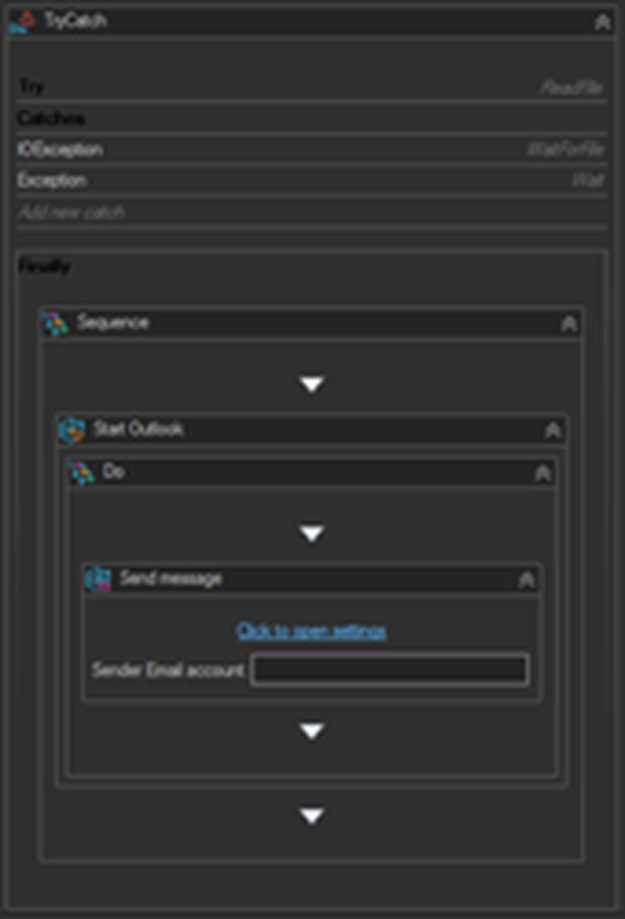
Although the primary purpose of TryCatch is handling exceptions, it can also be used deliberately to branch a sequence by raising a controlled error with the Throw activity.
Exceptions TryCatch Cannot Handle
Some exceptions fall outside the scope of TryCatch, including OutOfMemoryException and ThreadAbortException.
In earlier versions of VisualCron, most internal VisualCron activities could not be handled by TryCatch at all, because the sequence was forcibly aborted when an exception was thrown. Current versions no longer force stop the sequence, so TryCatch does work with internal VisualCron activities.
There are still a few cases where a forced stop is used and TryCatch cannot intercept the error:
- Web Macro group activities. If the error is caused by an element not being found, enable the Allow to ignore the element checkbox in that activity's settings as a workaround.
- DoWhile and While loops when the maximum number of iterations is exceeded.
- Click and KeyPress activities when there is an error parsing the property listing the buttons to press.
Error Settings on an Activity
An alternative to TryCatch is the Error settings property, available in the Properties pane under Error handling for almost all internal VisualCron activities. Web Macro group activities are the exception and do not expose it.
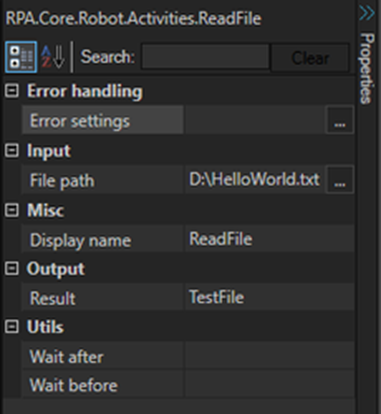
Open the property to add one or more rules mapping an error type to an action.
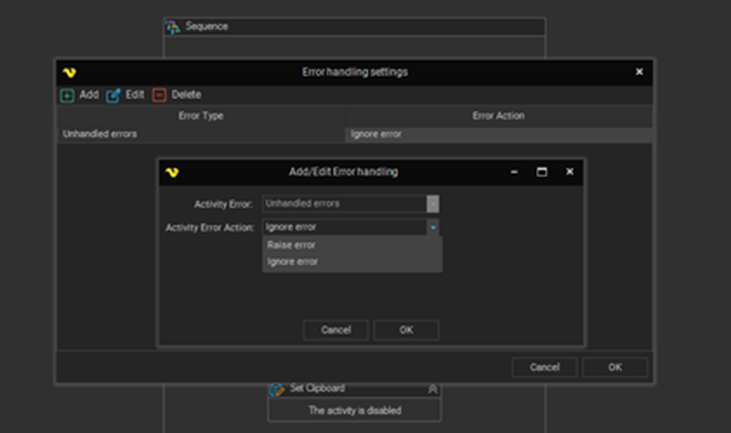
| Setting | Description |
|---|---|
| Activity Error | The error type the rule applies to, for example Unhandled errors. |
| Activity Error Action | What to do when the error occurs: Raise error or Ignore error. |
Adding a rule that ignores unhandled exceptions allows the sequence to keep executing past the failing activity. Combining Error settings with TryCatch lets you build a sequence that is resilient to both expected and unexpected outcomes.
Throw
Throws an exception. Use it to raise a controlled error or to terminate the workflow when a specific condition is met.
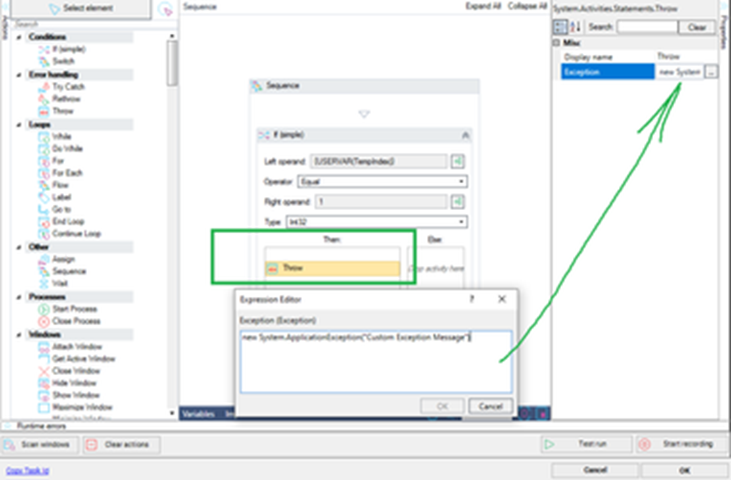
The Exception property takes a VB expression that constructs the exception:
new System.ApplicationException("Your custom message here")
A typical use is inside the Then block of an If activity: when a validation check fails, Throw raises a descriptive error that a surrounding TryCatch then handles.
Rethrow
Throws a previously thrown exception from within a Catch activity. Use it when a Catch block needs to perform some logging or cleanup but should still let the original exception propagate.
Tips
- Catch the most specific exception type you can. A bare
Exceptioncatch hides the real cause and makes failures hard to diagnose. - Prefer Error settings with Ignore error for activities where a failure is genuinely acceptable, and TryCatch where you need to react to the failure.
- For Web Macro sequences, Allow to ignore the element is the only reliable option, since neither TryCatch nor Error settings apply.
- Always write the details of a caught exception to a log before continuing, so a silently skipped record can still be traced. See Data Processing & Logging.