Robot Task Activities - Loops
The Loops category contains activities that repeat a body of activities and control how iteration proceeds.
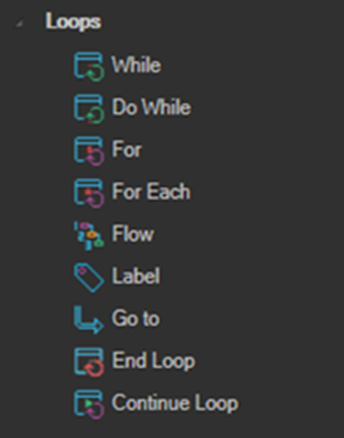
While
Executes the body while the specified condition is true. The condition is evaluated before the first iteration, so if it is false at the start the body never runs.
Do While
Executes the body while the specified condition is true. The condition is evaluated after each iteration, so the body always runs at least once.
If the maximum number of iterations is exceeded, While and Do While force the sequence to stop. This is one of the few cases a TryCatch activity cannot intercept. See Error Handling.
For
Executes the body a specified number of times.
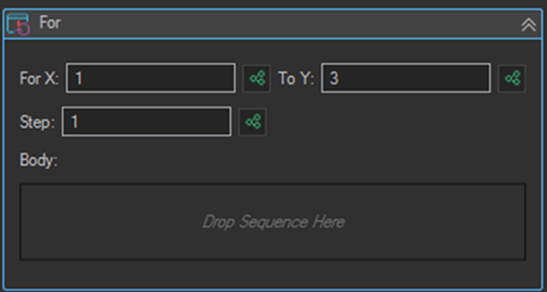
| Setting | Description |
|---|---|
| For X | The starting value of the counter. |
| To Y | The ending value of the counter. |
| Step | The amount the counter is incremented by on each iteration. |
| Body | The activities executed on each iteration. |
All three fields accept variables, so the upper bound can be driven by a value read at runtime, such as the row count of a List Variable.
For Each
Executes the body once for each line in the specified string of lines. This is the activity most commonly used to iterate a List Variable or the contents of a data file.
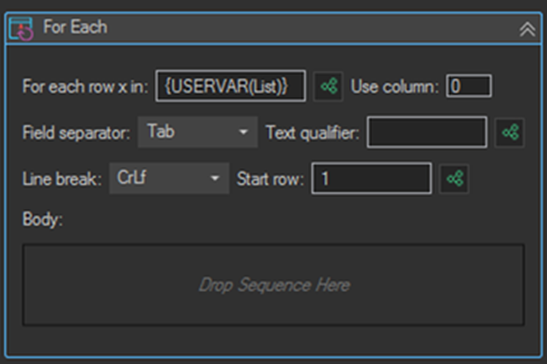
| Setting | Description |
|---|---|
| For each row x in | The source of the rows to iterate, for example {USERVAR(List)}. |
| Use column | The column index to read from each row. |
| Field separator | The character separating columns in each row, for example Tab or Comma. |
| Text qualifier | The character wrapping values that contain the separator. |
| Line break | The line break sequence used by the source, for example CrLf. |
| Start row | The first row to process. Set to 2 to skip a header row. |
| Body | The activities executed for each row. |
Flow
Executes the specified action sequence with support for goto features. Place Label and Go to activities inside a Flow to jump between points in the sequence.
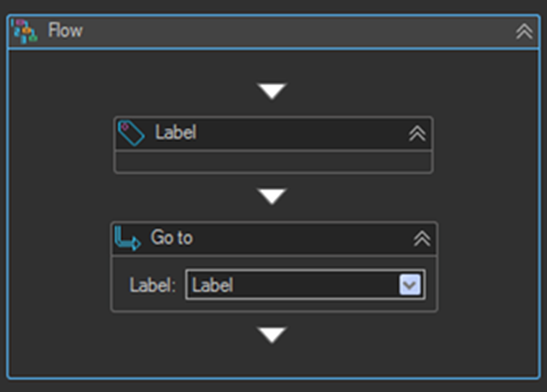
Label
A marker that identifies a position a Go to activity can jump to.
Go to
Jumps to the specified label. When encountered, execution continues from the named Label rather than the next activity in order.
End Loop
Breaks the loop and stops it completely. Execution continues with the first activity after the loop.
Continue Loop
Stops the current iteration and begins the next one from the top of the loop body.
Continue Loop is the key to clean exception handling inside a loop. When a record cannot be processed because of a problem with the data, log the record to an exception log and then use Continue Loop as the last activity in that branch. The loop moves on to the next record instead of stopping the whole task or retrying the same record.
See Data Processing & Logging for a full walkthrough of that pattern.
Loop Iteration Variable
Loop activities expose the current iteration number as a VisualCron variable, which is essential when you need to read from or write to the row currently being processed:
{RPALOOP(a381|Iterations)}
The identifier in the first parameter is the activity id of the loop, so the value differs per loop. Use the Variables button at the bottom of the Edit Task window to insert the correct reference rather than typing it by hand.
A common use is passing the iteration number as the row index to a List Variable lookup:
{USERVAR(lvDateReformat|GetCell|{RPALOOP(a381|Iterations)}|Date|false)}
Tips
- Prefer For Each over a counted For loop when iterating a data file, so the loop naturally matches the number of records present.
- Set Start row to
2when your source file includes a header row, otherwise the header is processed as data. - Put the activity that marks a record as complete at the very end of the loop body. A record then only gets marked as processed if every step before it succeeded.
- Avoid nesting more than two loops. Break the inner work into a separate Robot Task if the logic grows.