Task PDF - Get Attachment
The PDF - Get attachment(s) Task extracts all or specific files attached to a PDF document and saves them to disk.
Get attachment(s) > Main settings sub tab
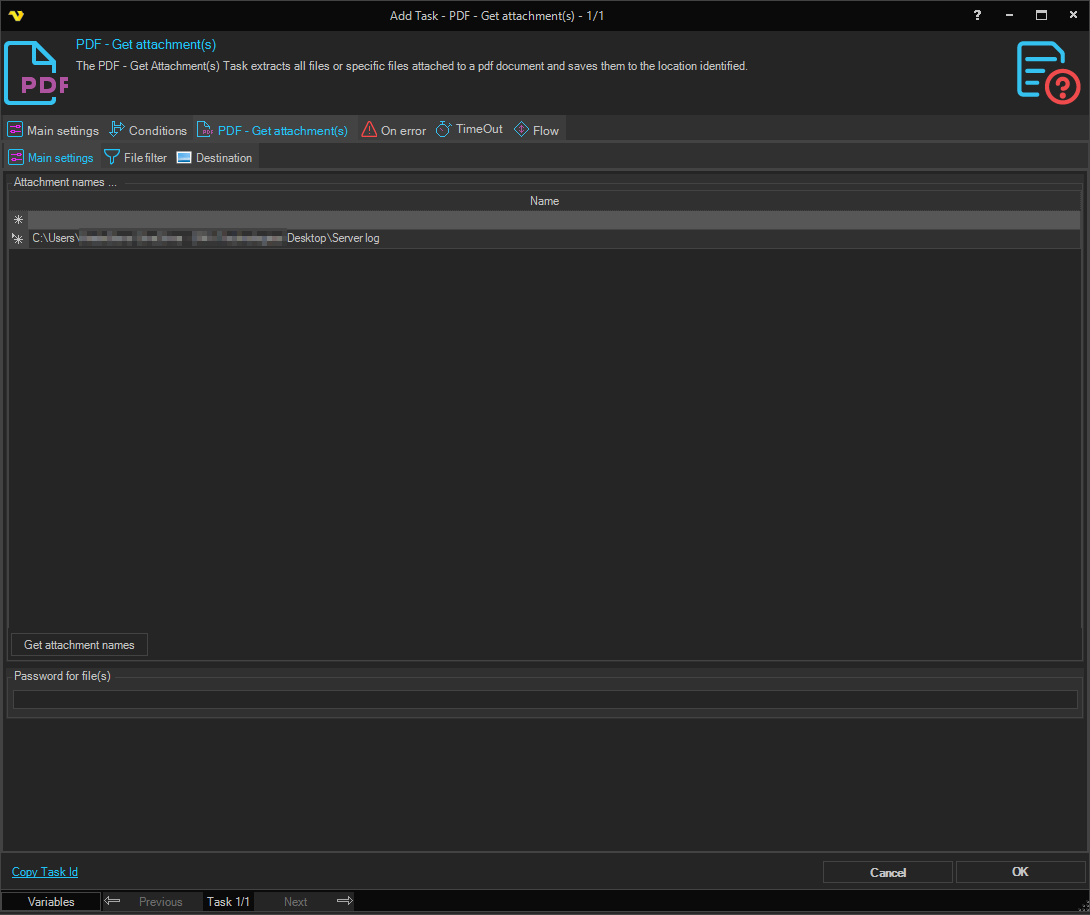
In the Main settings dialog, add or delete the names of the attachments to extract. Only file names that already exist inside the source PDF can be selected.
Get attachment(s) > File filter > Location sub tab
This tab uses the common file filter to choose which PDF files should be processed in this Task.
Get attachment(s) > Destination sub tab
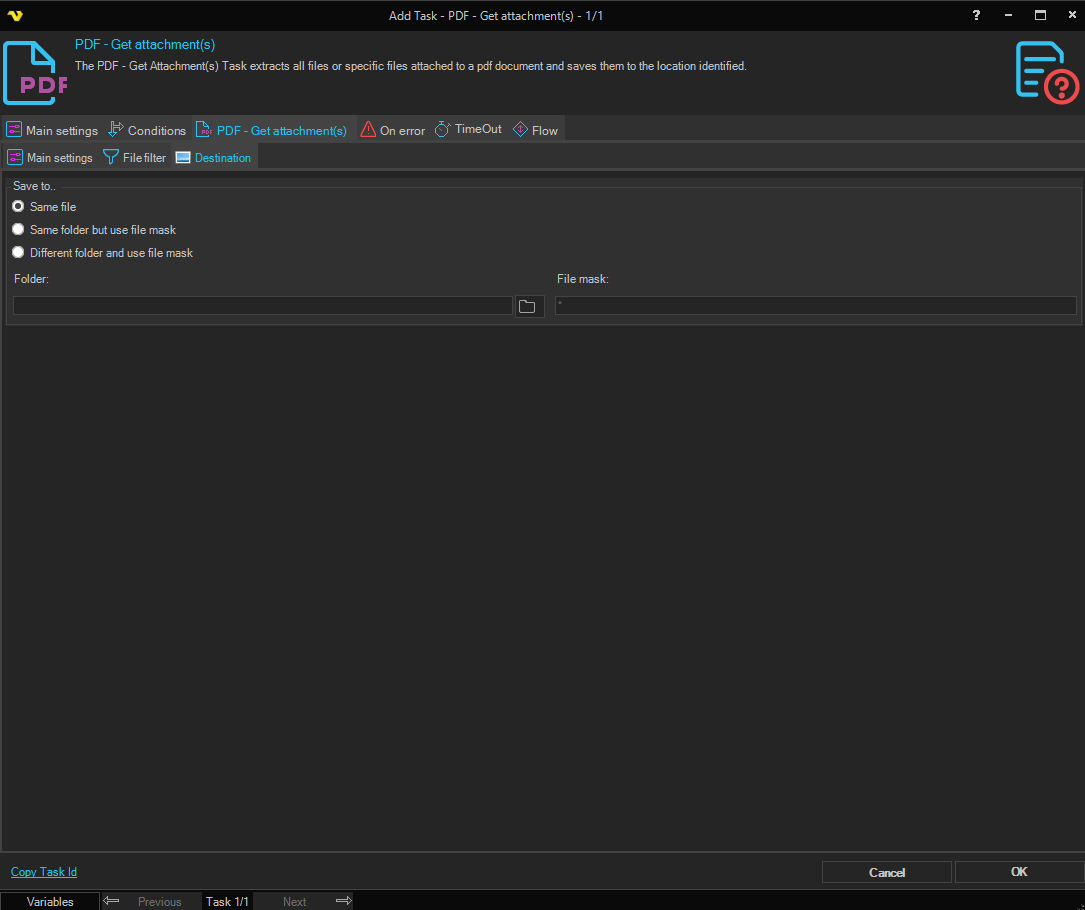
Save to
Selects where the extracted attachment files are written. Available options:
- Save to same file - extract to the same folder as the source PDF, using the original attachment names
- Same folder with file mask - extract to the same folder as the source PDF, using a custom file mask
- Different folder with file mask - extract to a different folder, using a custom file mask
Folder
The destination folder. Enabled when Save to is set to Different folder with file mask. Click the Folder icon to browse for the folder.
File mask
The file mask used to name the extracted file(s). Enabled when Save to is set to Same folder with file mask or Different folder with file mask.