Task PDF - Delete Attachment
The PDF - Delete attachment(s) Task removes one or more attachments embedded in a PDF file.
Delete attachment(s) > Main settings sub tab
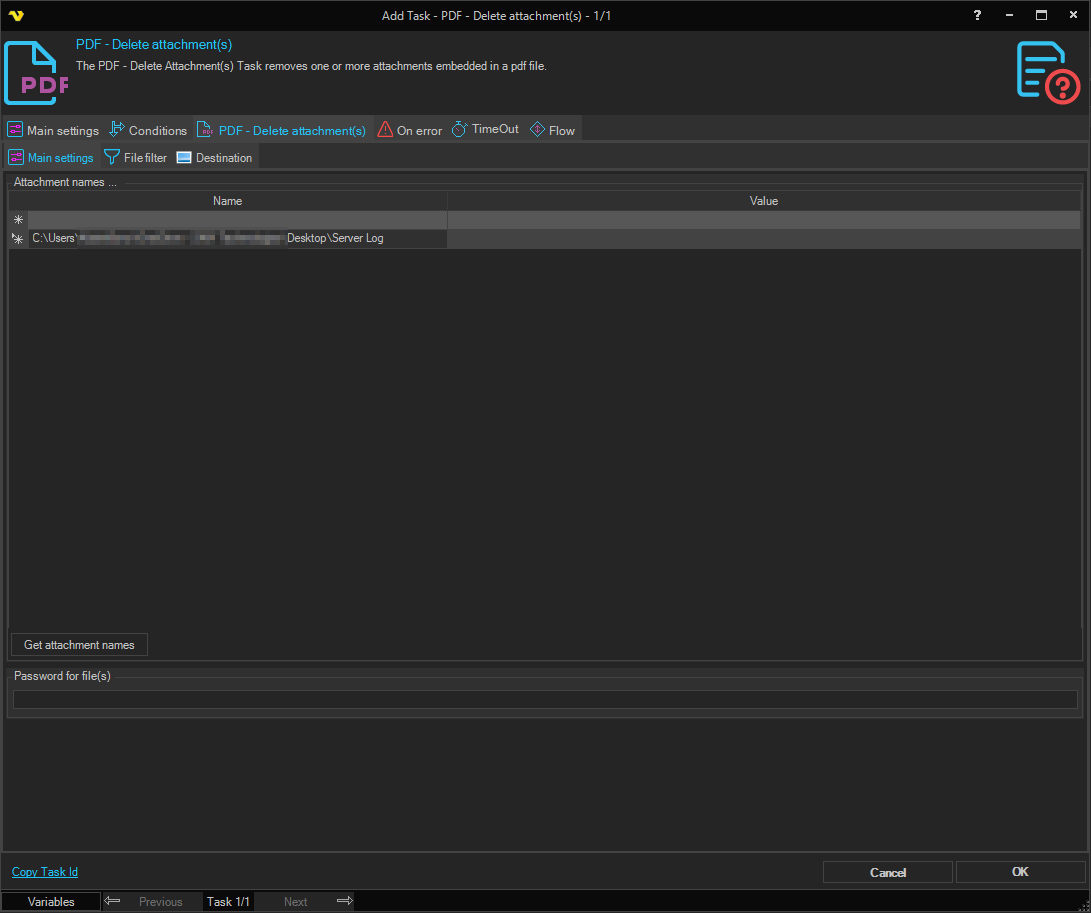
In the Main settings dialog, add or delete the names of the attachments to remove. Only file names that already exist inside the source PDF can be selected.
Delete attachment(s) > File filter > Location sub tab
This tab uses the common file filter to choose which PDF files should be processed in this Task.
Delete attachment(s) > Destination sub tab
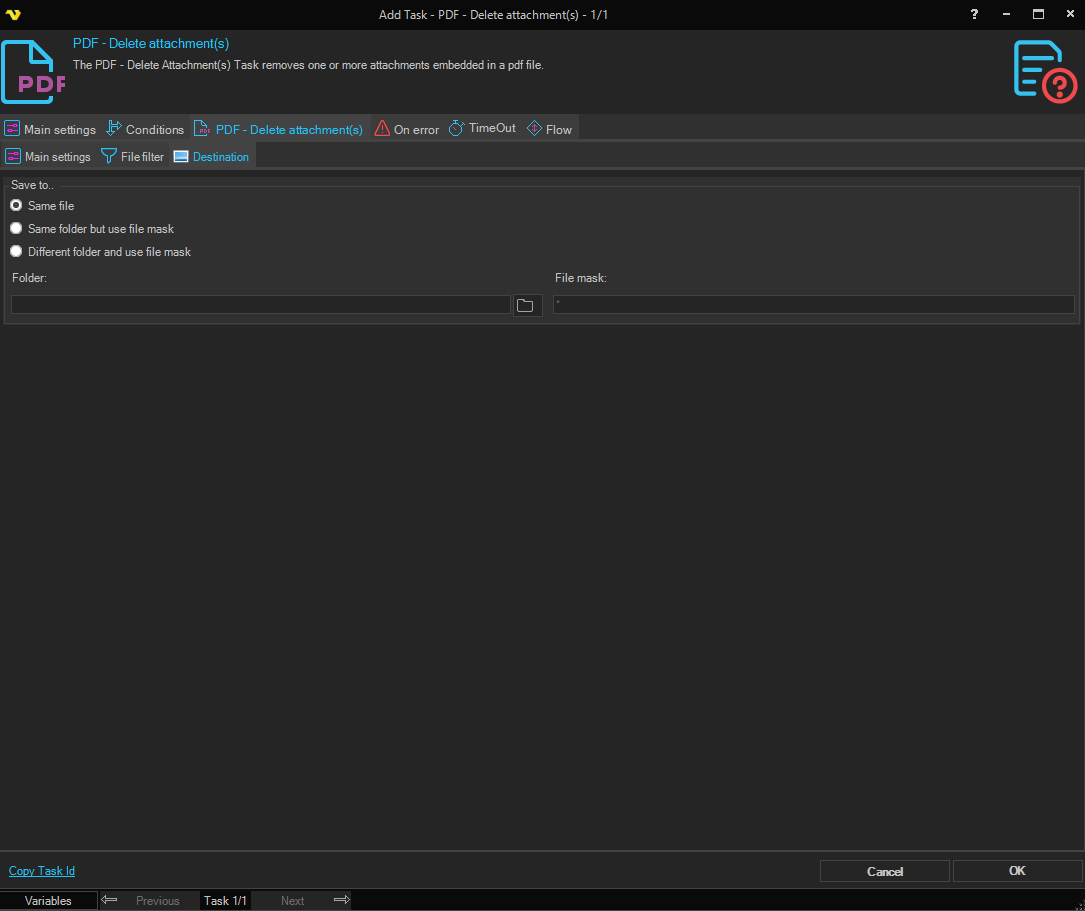
Save to
Selects where the modified PDF is written. Available options:
- Save to same file - overwrite the source PDF in place
- Same folder with file mask - keep the original folder, but save under a different name (set the File mask below)
- Different folder with file mask - save under a different name in a different folder (set both Folder and File mask below)
Folder
The destination folder. Enabled when Save to is set to Different folder with file mask. Click the Folder icon to browse for the folder.
File mask
The file mask used to name the output file. Enabled when Save to is set to Same folder with file mask or Different folder with file mask.