Task PDF - Search Text
The PDF - Search text Task finds a text or a regular expression in PDF files and writes each match, with the properties you select, to the Task output.
The Main settings, Flow, On error, Conditions and TimeOut tabs are the same for every Task; see Job - Tasks.
Search text: Main settings tab
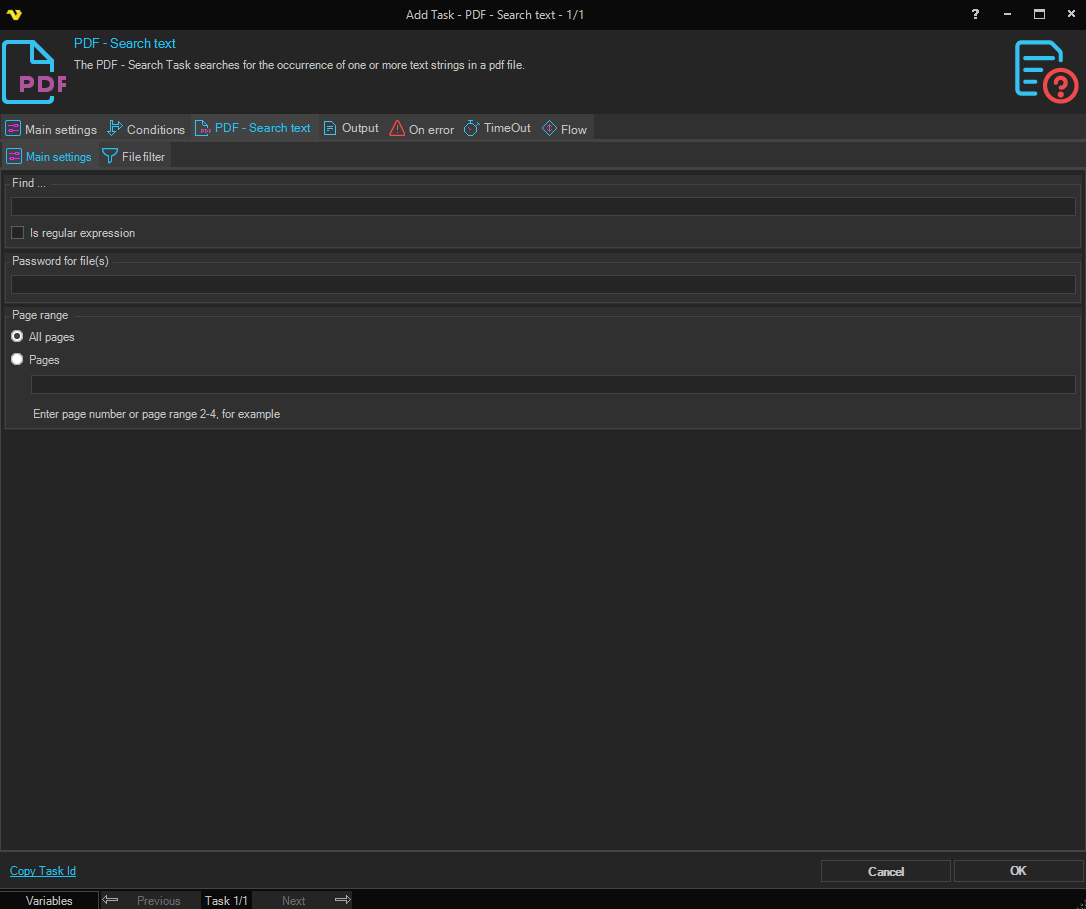
-
Find (Find ... group): the text to find, without quotation marks; required
Variables are supported.
-
Is regular expression: treats Find as a regular expression
-
Password for file(s): the password that opens the source PDF files, if they are protected
-
Page range: All pages, or Pages with page numbers and ranges separated by commas, for example
2-4or1,3,5-6. An entry that is not a page number or a valid range is ignoredA page number larger than the page count raises an error.
File filter tab
The File filter tab selects the PDF files to search; see File Filter. If the filter has a Credential, the Task uses it while it reads and writes the files. When the logon with the Credential fails, the Task continues as the account that runs the Server and writes the error to the Server log.
Search text: Output tab
The Output tab of the Task window sets the format of the output.
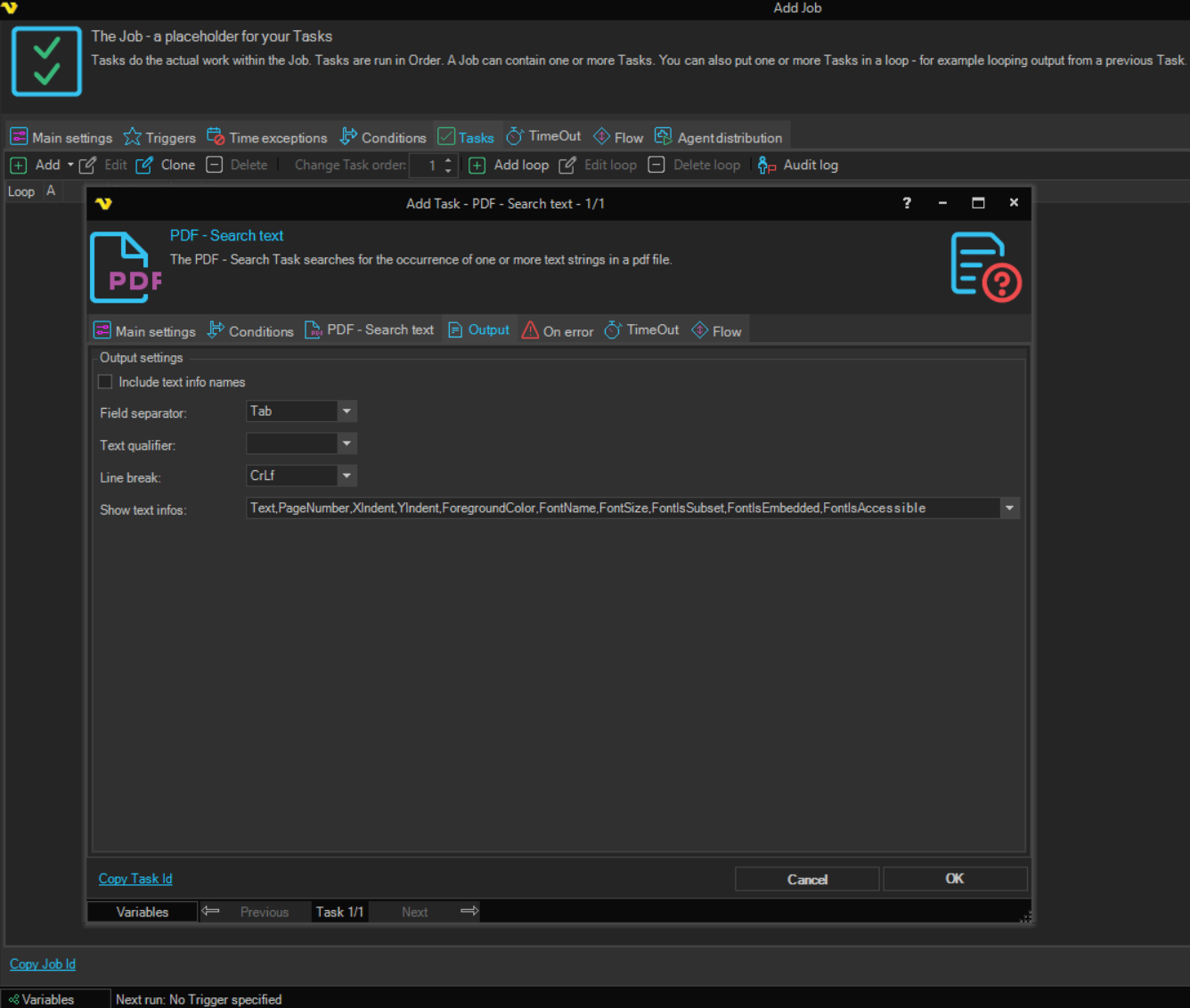
-
Include text info names (Output settings group): starts each line with the name of the property and Field separator; unchecked by default
-
Field separator: the separator between the name and the value; used with Include text info names. The default is "Tab"
-
Text qualifier: the character around each value; none by default
-
Line break: ends each line; the default is "CrLf"
-
Show text infos: the properties to return for each match: "Text", "PageNumber", "XIndent", "YIndent", "ForegroundColor", "FontName", "FontSize", "FontIsSubset", "FontIsEmbedded", "FontIsAccessible", "Rectangle", "LineSpacing", "Subscript", "Invisible", "WordSpacing", "HorizontalScaling", "CharacterSpacing", "Superscript" and "HorizontalAlignment"
"Text" to "FontIsAccessible" are selected by default.
Output and errors
The Task output has one line for each selected property of each match, with an empty line after each match. A property without a value is left out. When nothing matches, the output is empty.