Task PDF - Remove Page
The PDF - Remove pages(s) Task deletes one or more specified pages from a PDF document.
Remove page(s) > Main settings sub tab
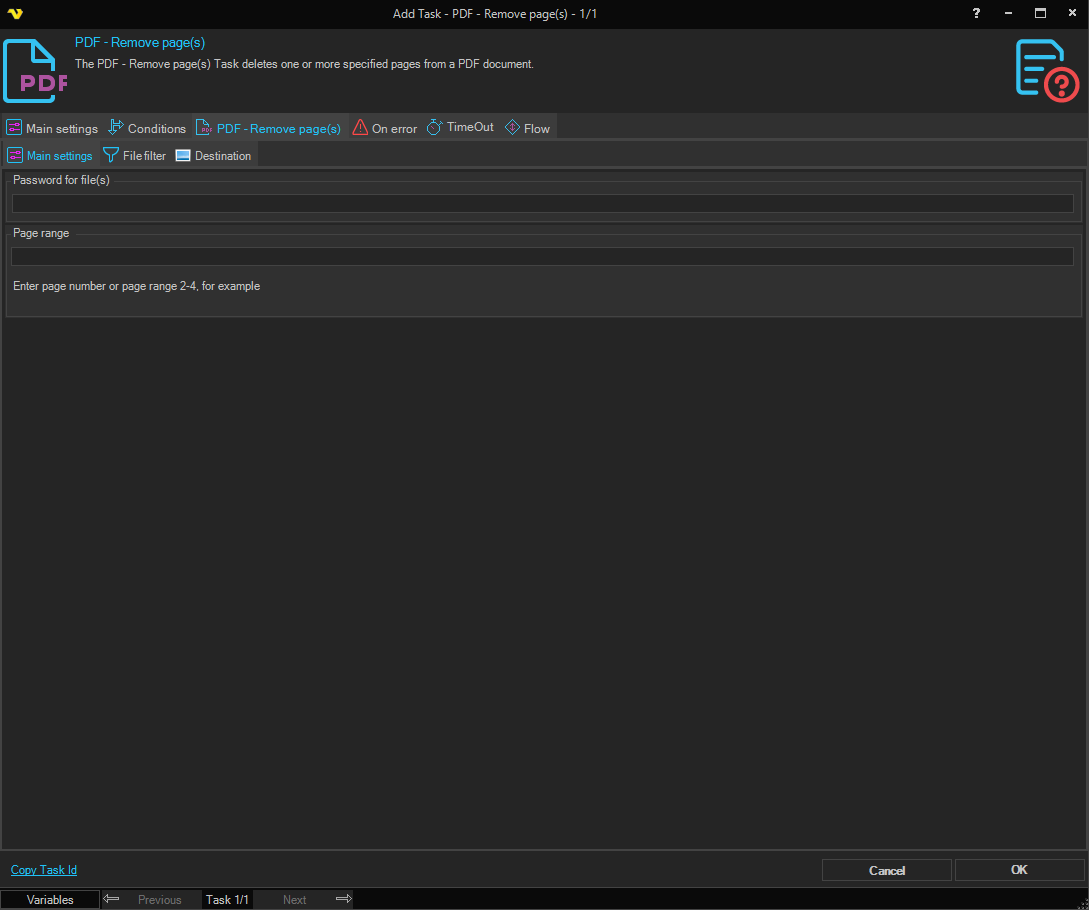
Password for file(s)
If any of the specified PDF files contains a password it should be entered here.
Page range
The pages that should be removed. Specify a range like 2-4 or specific pages 1,3,5-6.
Remove page(s) > File filter > Location sub tab
This tab uses the common file filter to filter out the files that should be processed in this Task.
Remove page(s) > Destination sub tab
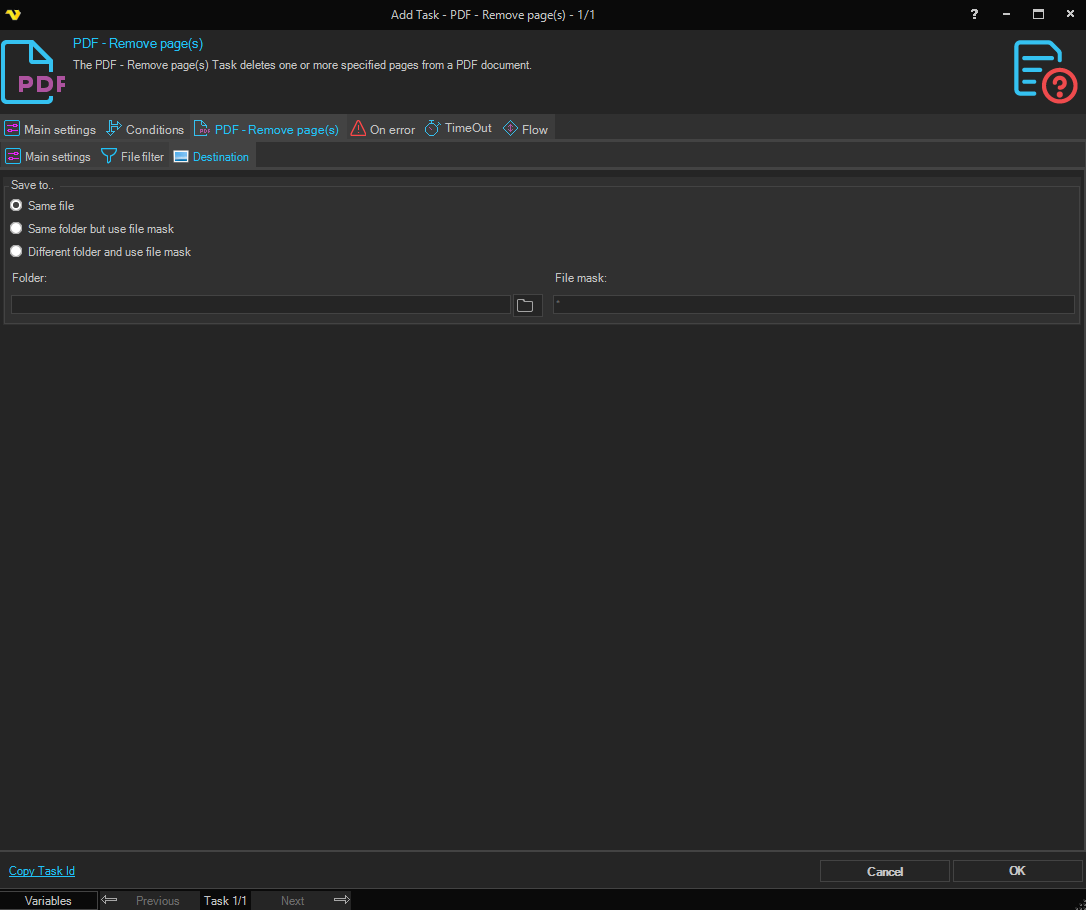
Save to
Selects where the modified PDF is written. Available options:
- Save to same file - overwrite the source PDF in place
- Same folder with file mask - keep the original folder, but save under a different name (set the File mask below)
- Different folder with file mask - save under a different name in a different folder (set both Folder and File mask below)
Folder
The destination folder. Enabled when Save to is set to Different folder with file mask. Click the Folder icon to browse for the folder.
File mask
The file mask used to name the output file. Enabled when Save to is set to Same folder with file mask or Different folder with file mask.