Task PDF - Insert Pages
The PDF - Insert pages Task inserts blank pages or pages extracted from another pdf document into a pdf file.
Insert pages > Main settings sub tab
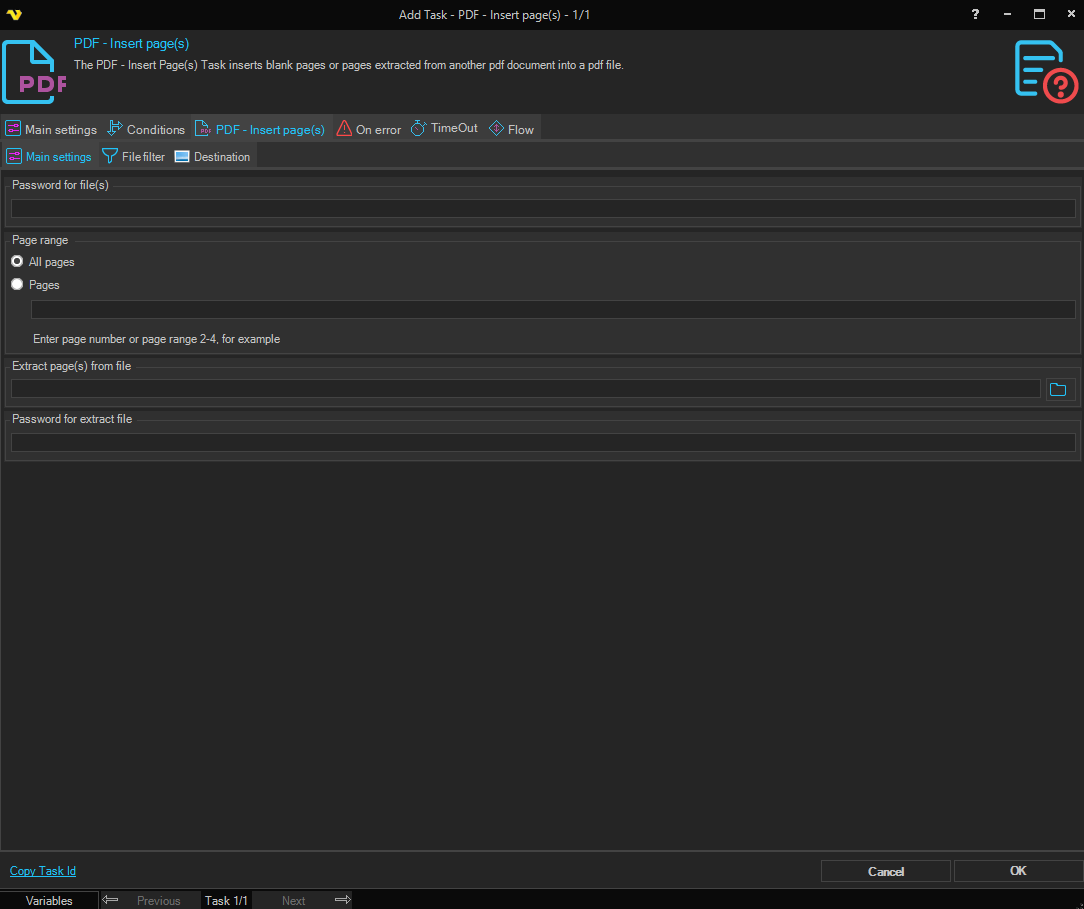
Password for file(s)
If the source pdf file is password protected, enter password here.
Page range
The pages from the extract file that should be inserted. Specify All pages or a range like 2-4 or specific pages 1,3,5-6.
Extract page(s) from file
If pages should be extracted from another PDF file, specify the full path here. Click the File icon to browse and select the file. Leave empty to insert blank pages instead.
Password for extract file
If the file to extract pages from is password protected, enter password.
Insert pages > File filter > Location sub tab
This tab uses the common file filter to filter out the files that should be processed in this Task.
Insert pages > Destination sub tab
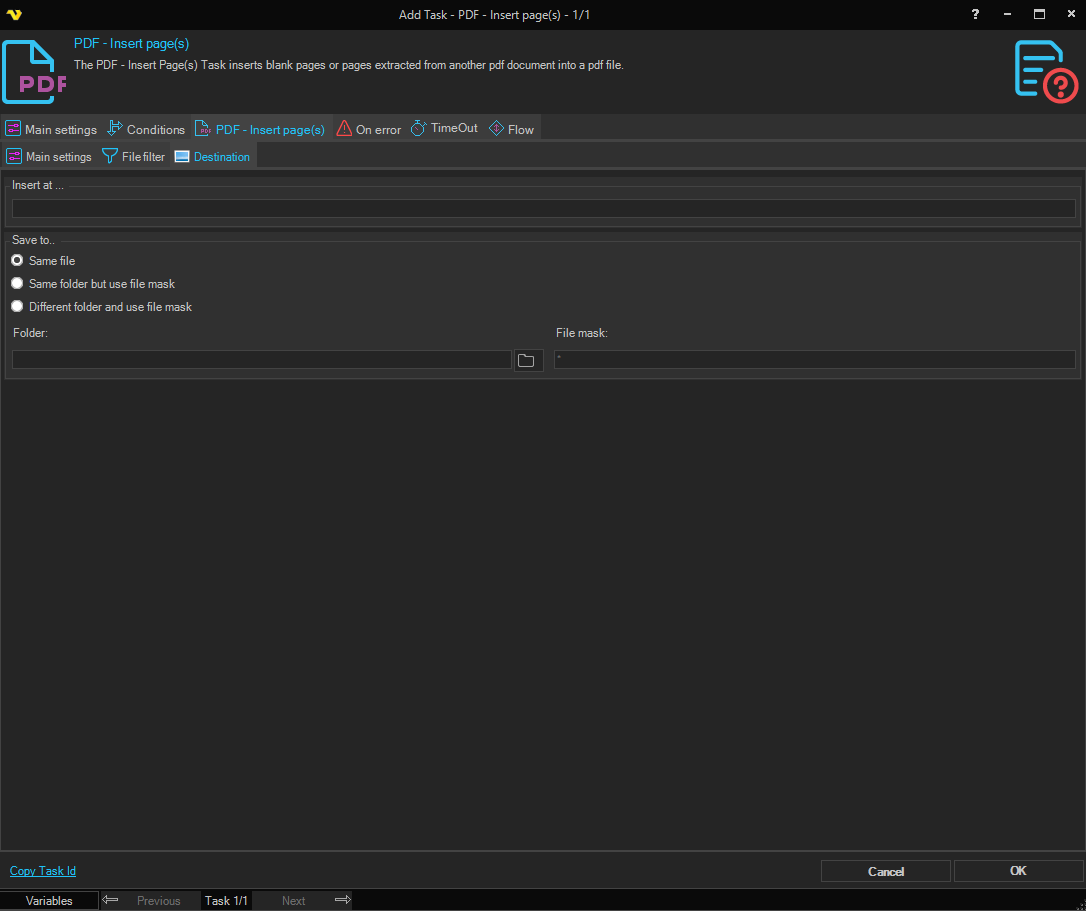
Insert at
Page number in source document to start insert pages in.
Save to
Selects where the modified PDF is written. Available options:
- Save to same file - overwrite the source PDF in place
- Same folder with file mask - keep the original folder, but save under a different name (set the File mask below)
- Different folder with file mask - save under a different name in a different folder (set both Folder and File mask below)
Folder
The destination folder. Enabled when Save to is set to Different folder with file mask. Click the Folder icon to browse for the folder.
File mask
The file mask used to name the output file. Enabled when Save to is set to Same folder with file mask or Different folder with file mask.