Task PDF - Convert
The PDF - Convert Task can convert between different file formats and the PDF format.
Convert > Main settings sub tab
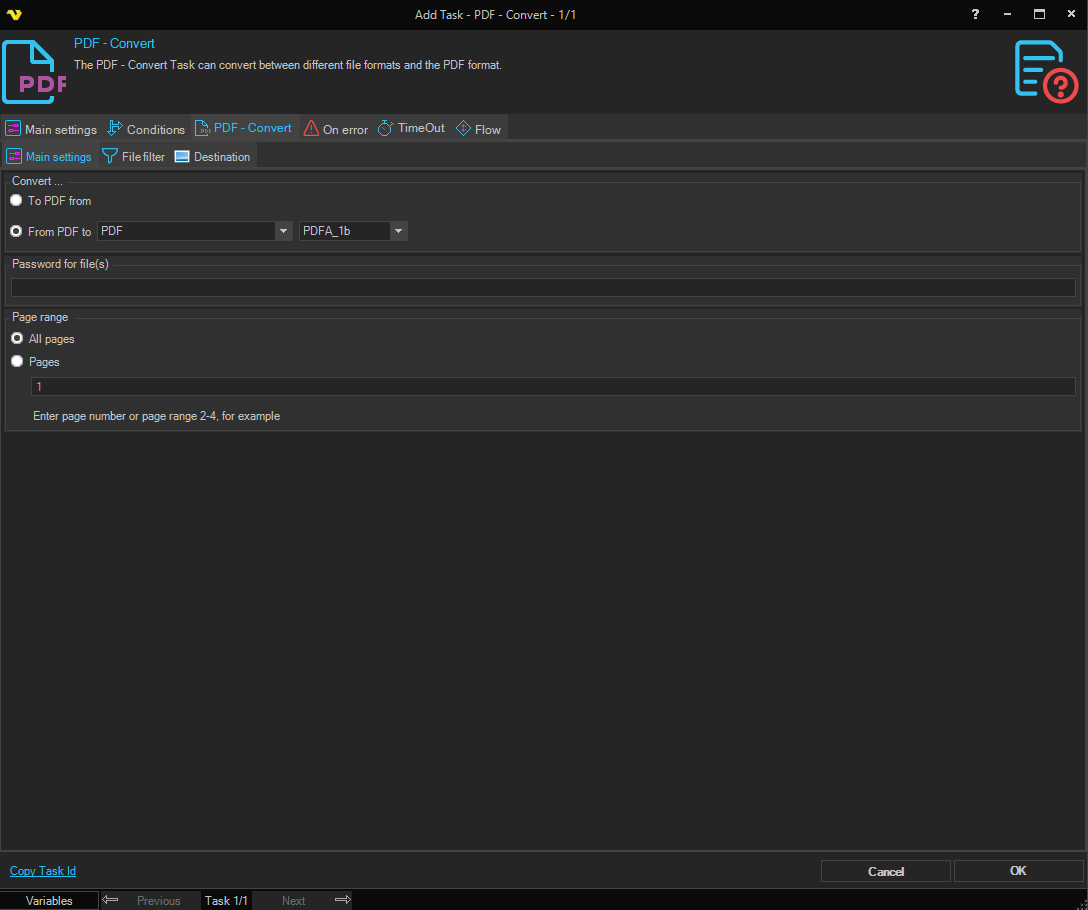
To PDF->From
Currently this Task can convert to PDF from the following formats;
- XPS
- PCL
- SVG
- EPUB
- MHT
- HTML
- TeX
- TXT
- CGM
- XML
- IMAGE (various formats)
From PDF->To
Currently this Task can convert from PDF to the following formats;
- PDF (various formats)
- HTML
- DOC
- XLS
- PPT
- XPS
- XML
- TeX
- TXT
- SVG
- EPUB
- IMAGE (various formats)
Password for file(s)
If any of the specified PDF files contains a password it should be entered here
Page range
The pages that should be converted. Specify a range like 2-4 or specific pages 1,3,5-6.
Convert > File filter > Location sub tab
This tab uses the common file filter to filter out the files that should be processed in this Task.
Convert > Destination sub tab
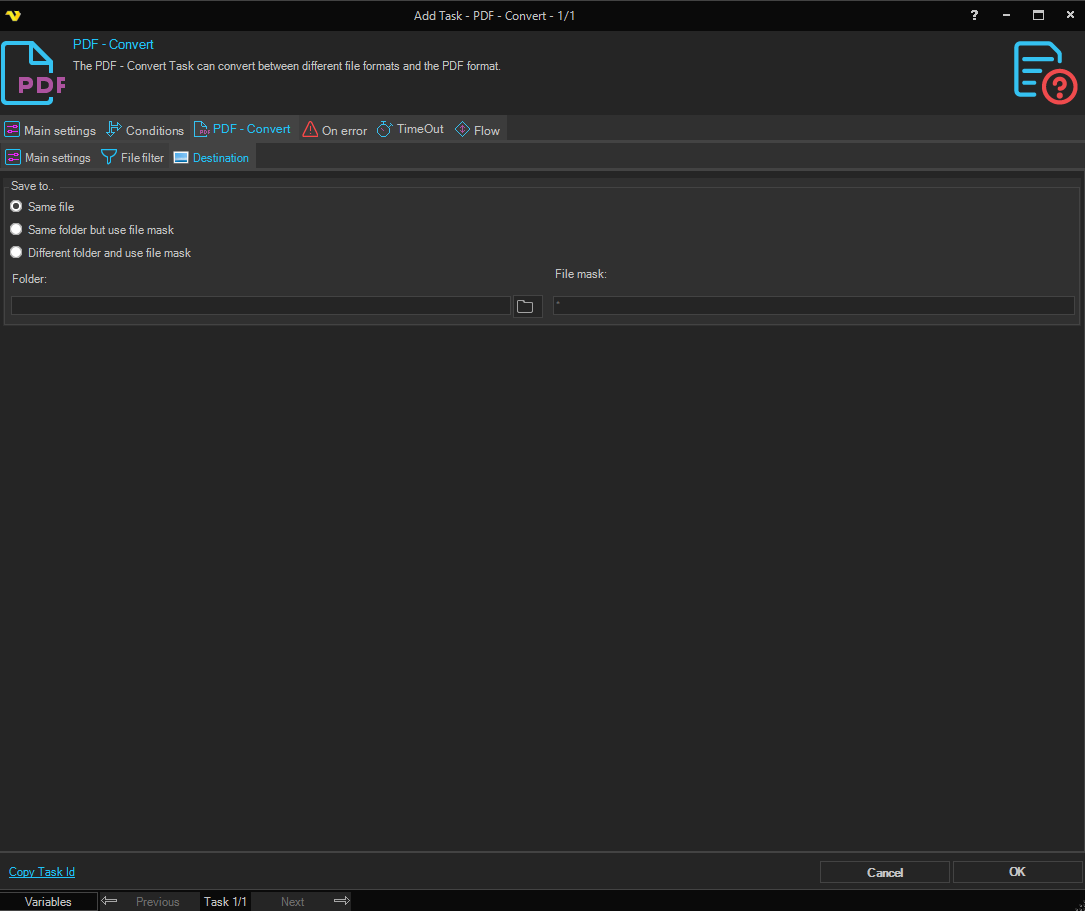
Save to
Selects where the converted file is written. Available options:
- Save to same file - write to the same folder as the source, using the original name
- Same folder with file mask - keep the original folder, but save under a different name (set the File mask below)
- Different folder with file mask - save under a different name in a different folder (set both Folder and File mask below)
Folder
The destination folder. Enabled when Save to is set to Different folder with file mask. Click the Folder icon to browse for the folder.
File mask
The file mask used to name the output file. Enabled when Save to is set to Same folder with file mask or Different folder with file mask.
Convert > Destination sub tab, converting to PDF from TXT
When To PDF->From is set to TXT, three extra group boxes appear on the Destination tab: Page margins, Font details, and Page orientation and Line fit.

Page margins
Left, Right, Top, and Bottom margin around the page content, in points. Leave a field blank (or enter a value that can't be parsed as a number) and VisualCron falls back to 50pt on that side. This group also appears when converting to PDF from IMAGE.
Font details
- Font - the installed system font used to render the text. Leave blank to use Courier New.
- Font size - point size for the text. Leave blank to use 12pt.
- Font style - Regular, Bold, Italic, or Bold Italic.
Page orientation and Line fit
- Orientation - Auto, Portrait, or Landscape. Auto uses Landscape when the text content is wider than it is tall, otherwise Portrait.
- Line Fit - when checked, scales the text horizontally so it fits within the page margins.
Convert > Destination sub tab, Output paper size
An Output paper size group lets you fix the page dimensions of the converted PDF instead of relying on the auto-derived size.
- Converting to PDF: available for every To PDF->From format except SVG.
- Converting from PDF: available when From PDF->To is set to DOC, PPT, or XPS.
Paper size
Default (auto), A3, A4, A5, Letter, Legal, Tabloid, or Custom. Default (auto) reproduces the size VisualCron would have produced before this option existed.
Width / Height / Unit
Shown only when Paper size is set to Custom. Enter the page width and height and choose the unit (mm, in, or pt). Both values must be greater than 0 and, once converted to points, no larger than 14400pt (the maximum page dimension VisualCron supports) - VisualCron blocks the task if either is out of range.