Robot Task Activities - Keyboard
The Keyboard category contains activities that simulate keyboard input.
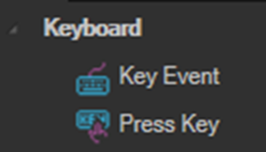
Key Event
Sends a single key event, either pressing a key down or releasing it.
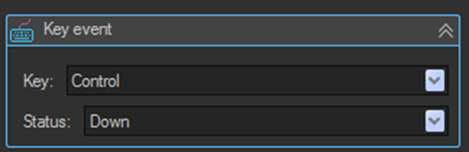
| Setting | Description |
|---|---|
| Key | The key to send, for example Control, Shift, or A. |
| Status | The key state to apply: Down or Up. |
Use Key Event when you need to hold a key down across several other activities. Send a Down event, perform the intervening activities, then send a matching Up event to release the key.
Key Press
Simulates pressing a single key or multiple keys.
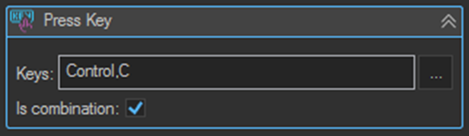
| Setting | Description |
|---|---|
| Keys | The keys to press, separated by commas, for example Control,C. |
| Is combination | When enabled the keys are pressed together as a combination. When disabled they are pressed one after another in order. |
| KeyPressDelay | Delay in milliseconds between pressing each key. |
Is combination is the difference between a shortcut and a sequence. With Control,C and Is combination enabled, the activity sends Ctrl+C. With Is combination disabled, it presses Control and then C as two separate keystrokes.
Selecting keys
Click the ... button to open the virtual keyboard and choose keys visually rather than typing their names.
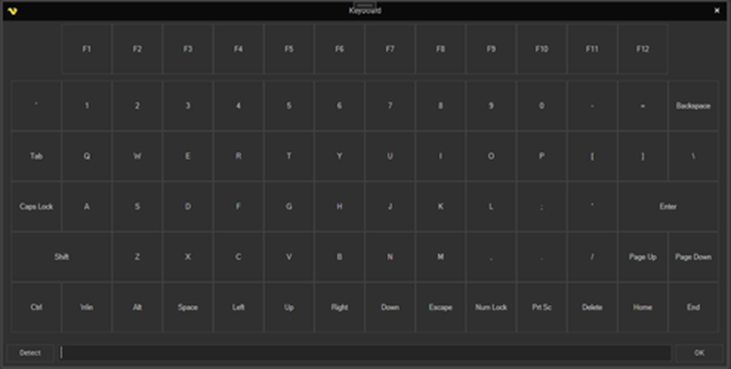
Click Detect to capture keys directly from your physical keyboard. Press the combination you want and the field is filled in for you.
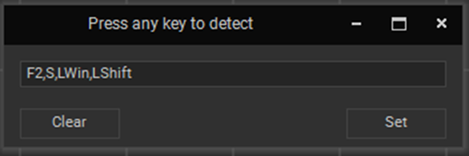
An error parsing the property listing the keys to press forces the sequence to stop and cannot be caught by a TryCatch activity. See Error Handling.
Tips
- Keyboard activities send input to whatever window currently has focus. Use a Windows activity such as Attach Window with Set focus enabled, or the Controls Set Focus activity, before sending keystrokes.
- To enter text into a field, use the Text Send Text activity rather than a chain of Key Press activities. Send Text can also target a specific element and control how existing content is handled.
- Use Detect rather than typing key names by hand. It guarantees the names match what the activity expects.
- Increase KeyPressDelay if an application misses keystrokes. Some applications cannot keep up with input sent at full speed.