Command - Copy/Move Files
The Copy/Move command copies or moves one file on the remote server to another folder on the remote server.
This command uses the Remote file filter to identify files to move or copy.
Copy/Move sub tab
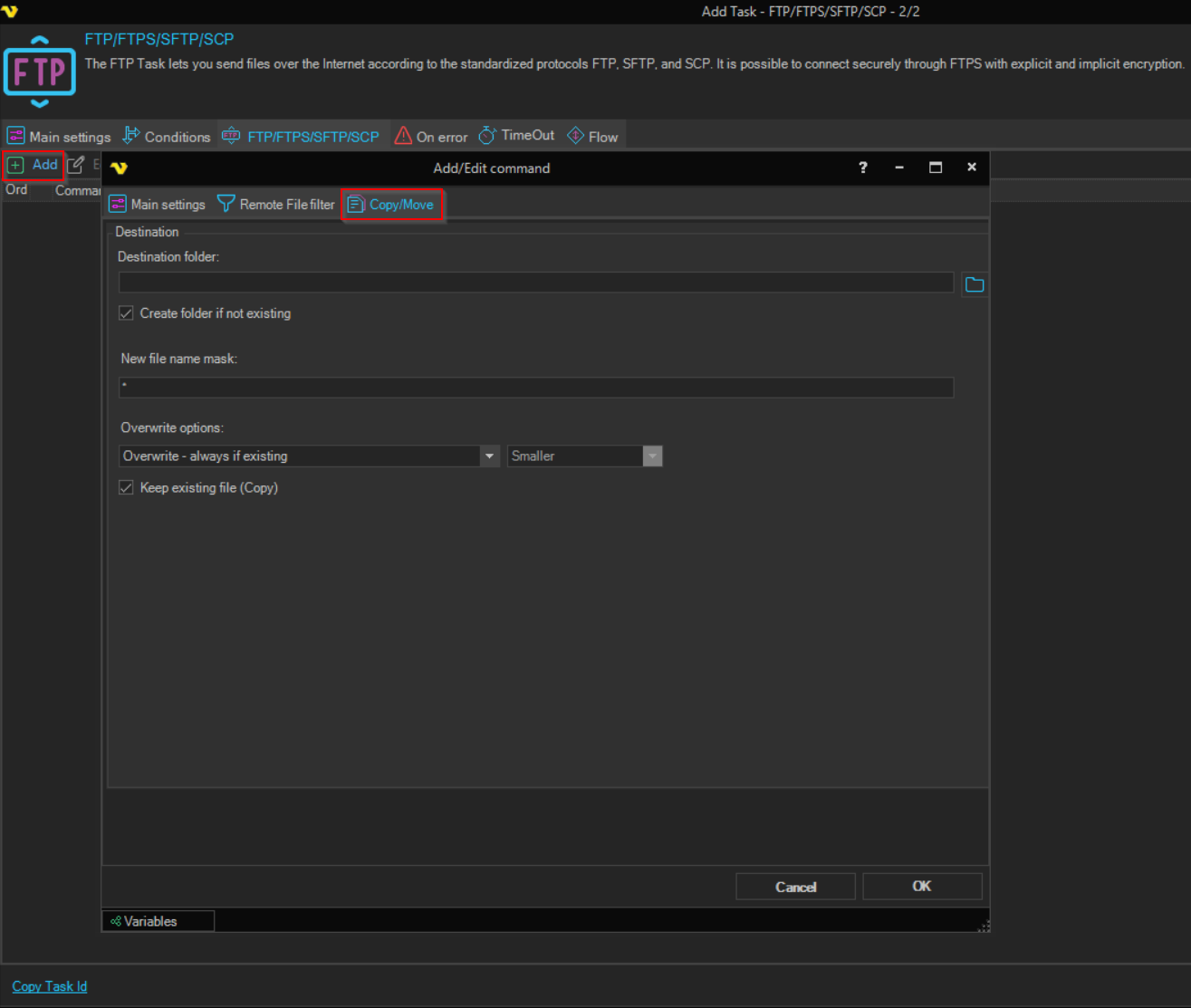
Destination folder
The folder on the remote server which the file(s) should be copied or moved to. Use the folder browse button to select a folder from the server.
Create folder if not existing
When checked, the destination folder is created automatically if it does not exist. Default is checked.
New file name mask
The name the file should have at the destination. Use * to keep the original file name. Default is *.
Overwrite options
Controls what happens when a file with the same name already exists at the destination. Options:
- Overwrite - always if existing (default) — always replace the destination file
- Overwrite - if newer — replace only if the source file is newer
- Overwrite - if destination size is — replace based on size comparison (activates the size dropdown below)
- Do not overwrite if existing — skip the file if it already exists at the destination
Overwrite size
Active only when Overwrite options is set to "Overwrite - if destination size is". Specifies the size condition that must be met for overwriting. Options: Same, Smaller, Larger, Smaller or larger, Different.
Keep existing file (Copy)
When checked, the source file is kept after the transfer (copy operation). When unchecked, the source file is deleted after a successful transfer (move operation). Default is checked.