Command - Delete Folders
The Delete folder command deletes a folder on the remote server.
On FTP, FTPS and SCP Connections, the folder is deleted with all its files and subfolders.
On FTP and FTPS Connections, a * or ? anywhere in Folder deletes every folder in the current folder, with all its contents, whatever the pattern and the path. Name one folder at a time, without wildcards.
On SCP Connections, the remote shell expands a * or ? in Folder, and every matching folder is deleted with everything in it.
On SCP Connections, VisualCron runs rm -rf on the remote server with the path as it is, without quotes, and does not check the result. A path with spaces can delete other folders than the one intended, and a failed delete is not reported. On SCP Connections, use paths without spaces.
On SFTP Connections, VisualCron sends one request to remove the folder, so the folder must be empty. Delete its files first with a "Delete file" command (see Command - Delete Files), and its subfolders with their own Delete folder commands.
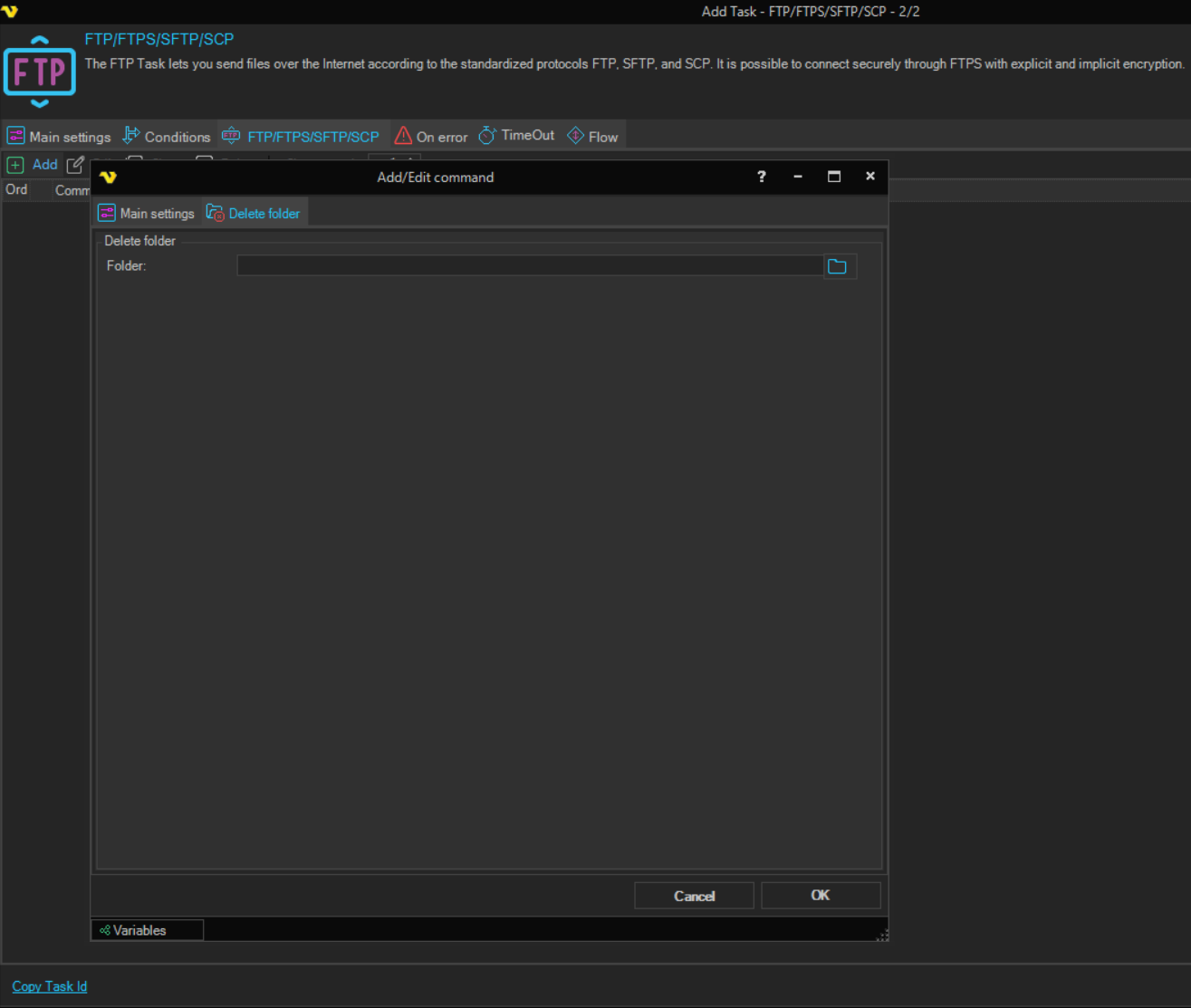
Delete folder tab
-
Folder (Delete folder group): the path of the folder to delete, for example
/folder/subfolderA path that does not start with
/is relative to the current folder; see Command - Change Folder. Click the browse button to select a folder on the server. The field is required.
The Task output lists the deleted folders. On FTP and FTPS Connections, when no folder is deleted, an error is written to the Task output and the Task ends with an error, whatever is set on the On error tab; the commands after it still run.
The Credential box on the Main settings tab of the Add/Edit command window is not used by this command.